



Access Credentials from StorX
Access Credentials are essential for configuring backup tools and integrating third-party applications with StorX. This guide will walk you through the process of generating and retrieving your StorX access credentials.
📋 Before You Begin:
You need an active StorX account. If you don't have one yet:
Create StorX Account →What You'll Need
Once your account is set up, you'll need these three credentials for integrations:
- 🔑 Access Key - Your unique access identifier
- 🔒 Secret Key - Your private security key (keep this secure!)
- 🌐 Endpoint URL - The StorX gateway endpoint
Step-by-Step Guide to Get Your Credentials
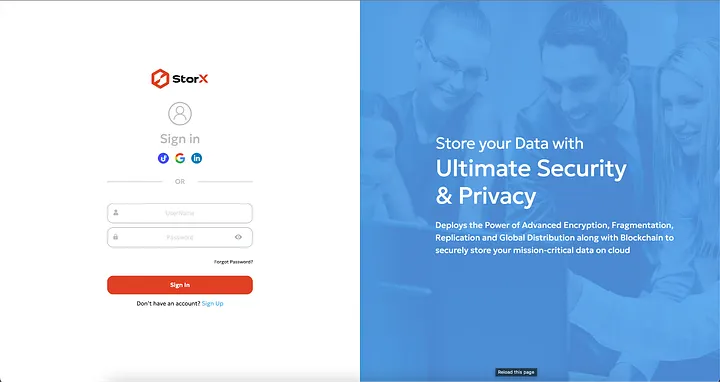
1. Login to your StorX account using your username and password or social signup options:
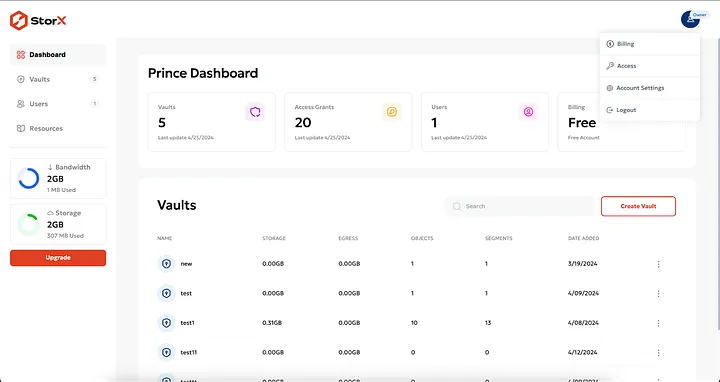
2. Once logged in, you'll see the StorX dashboard. Click on the user icon at the top right corner:
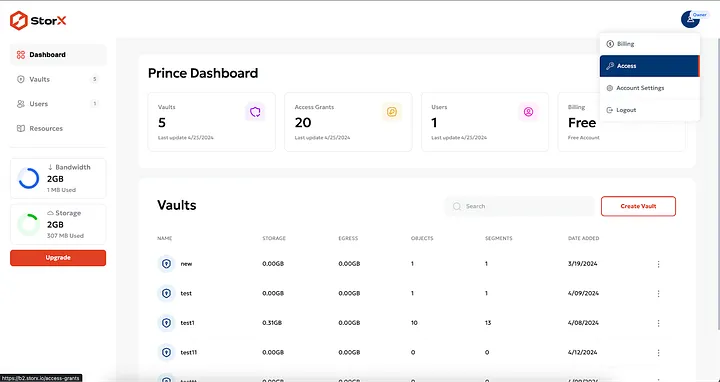
3. From the dropdown menu, select Access:
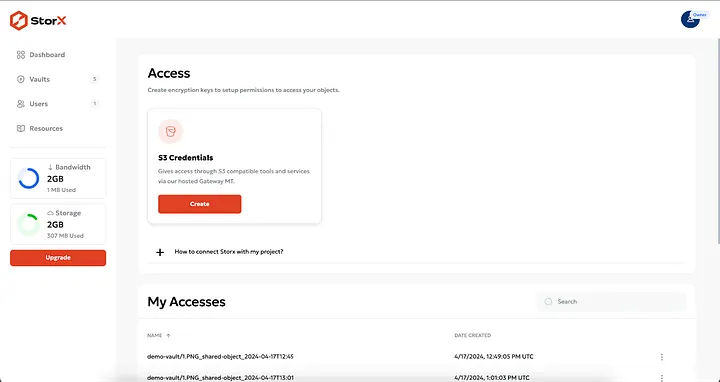
4. You'll be taken to the Access Keys screen. Click the Create button to generate a new access token:
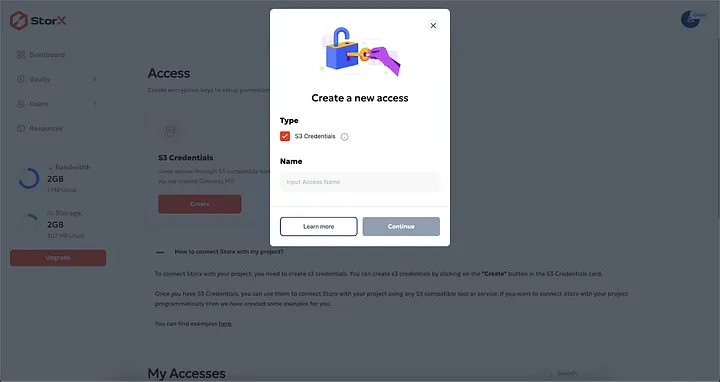
5. A popup will appear. Provide a name for your access key (e.g., "Backup Tool" or "Integration") and click Continue:
6. Review the details and click Confirm. Your access credentials will be generated and displayed:
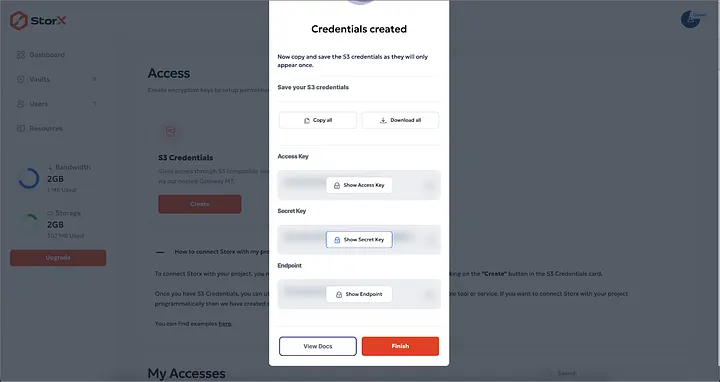
7. From this popup, you can:
- Click Copy to copy all keys to your clipboard
- Click Download to save the credentials as a file
- Click Show Key to reveal each key individually
⚠️ Important: Your Secret Key will only be shown once. Make sure to copy or download it immediately. If you lose it, you'll need to create a new access key.
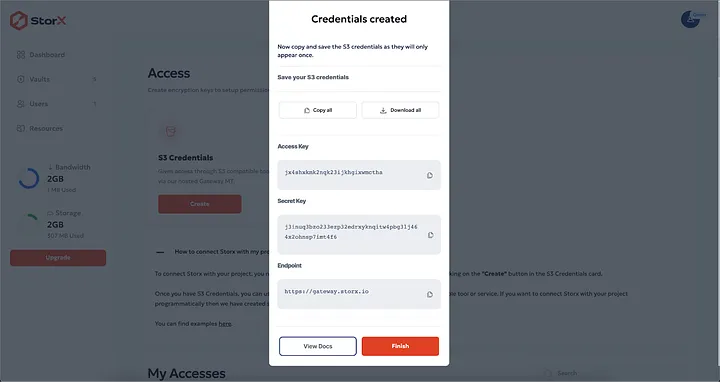
Example Credentials Format:
Access Key: jucp2o2qXXXXXXXXXXXXXXXXXXXX
Secret Key: j3lolq5453ktsnnjfXXXXXXXXXXXXXXXXXXXXXXXXXXXXXXXXXXXX
Endpoint: https://gateway.storx.io
✅ You Now Have Your StorX Credentials!
With these credentials, you can configure various backup tools and integrations including:
- Duplicati, Rclone, S3 Browser
- CloudBerry, CrossFTP, Cyberduck
- GoodSync, ForkLift, and many more
Security Best Practices
- Keep your Secret Key confidential - Never share it or commit it to code repositories
- Use descriptive names for your access keys to easily identify their purpose
- Rotate keys periodically - Create new keys and revoke old ones for better security
- Revoke unused keys - If you're no longer using an integration, delete its access key
💡 Pro Tip: Store your credentials in a secure password manager. Many backup tools allow you to save the connection, so you only need to enter these credentials once during initial setup.