



What is SyncBackPro?
The ideal Windows solution to backup, synchronize, and restore data files. SyncBackPro is reliable backup software used by individuals, small businesses, and mission-critical organizations worldwide, including law enforcement agencies, hospitals, and government departments. It ensures that your critical data is safe and easily recoverable, no matter your needs or scale.
Before you begin: You need an active StorX account. Join StorX →
Required StorX Credentials
- Access Key - Your unique access identifier
- Secret Key - Your private security key
- Endpoint URL -
gateway.storx.io
Step-by-Step Integration Guide
1. Download and install SyncBackPro. Once installed, open the application:
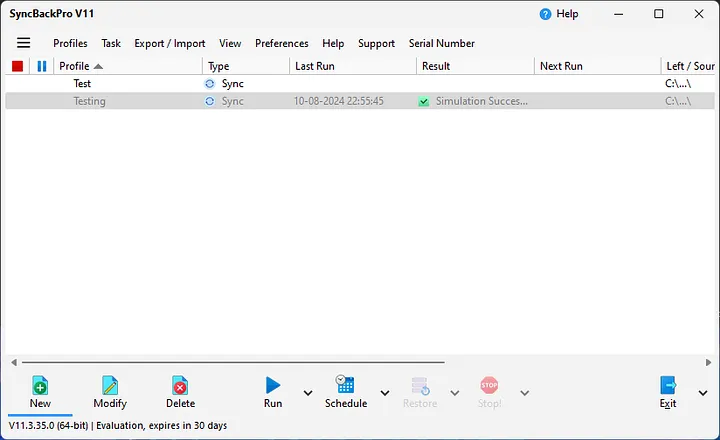
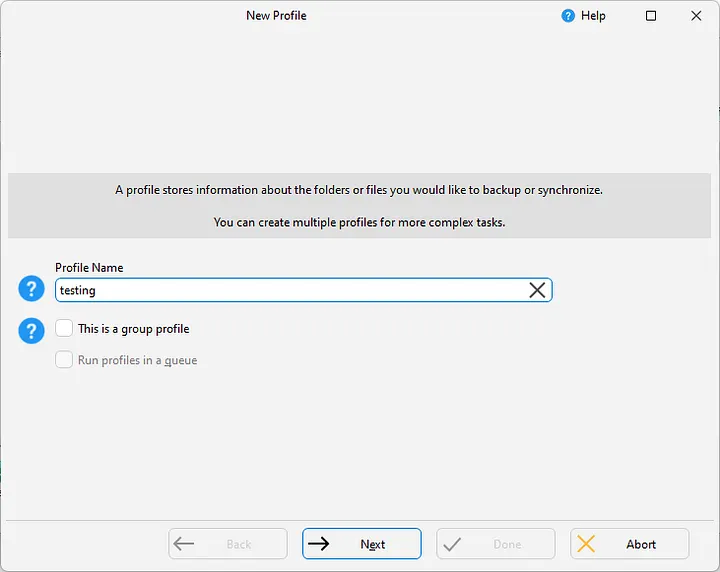
2. Click the New button, create a profile name, and proceed:
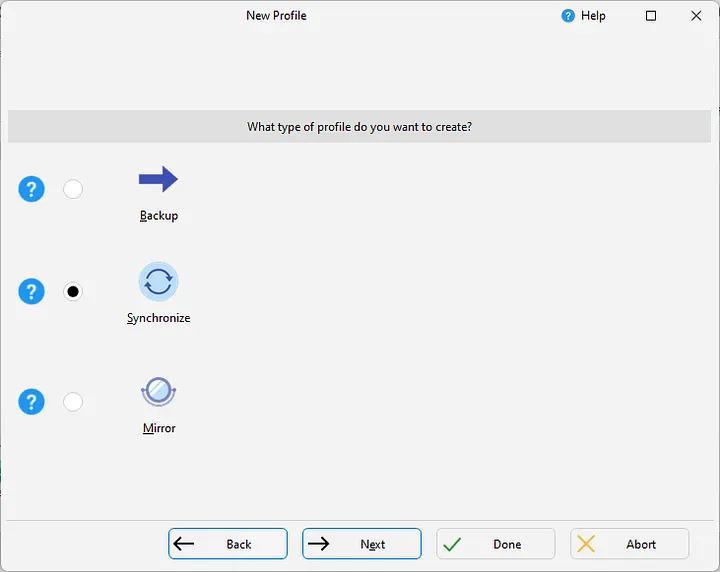
3. Select the Synchronize option to access cloud platforms:
4. Configure the source and destination paths. For the destination, select the cloud platform option:
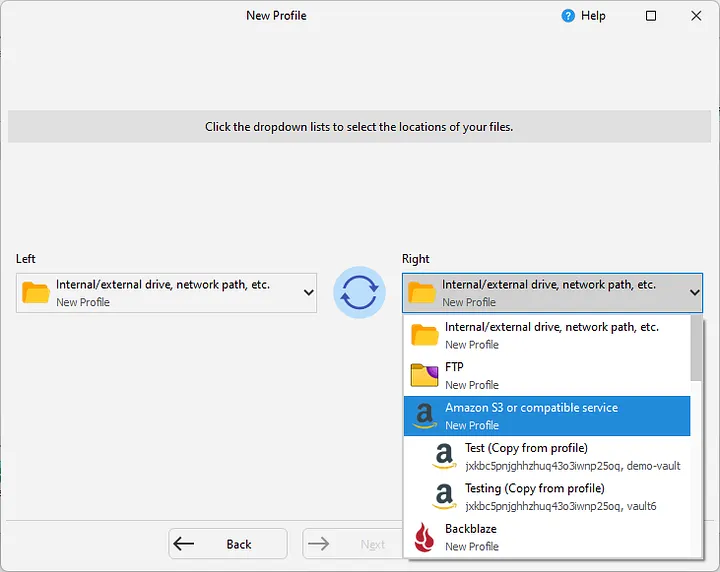
5. Enter your StorX credentials in the pop-up:
- Access Key: Your StorX Access Key
- Secret Key: Your StorX Secret Key
- Endpoint:
gateway.storx.io
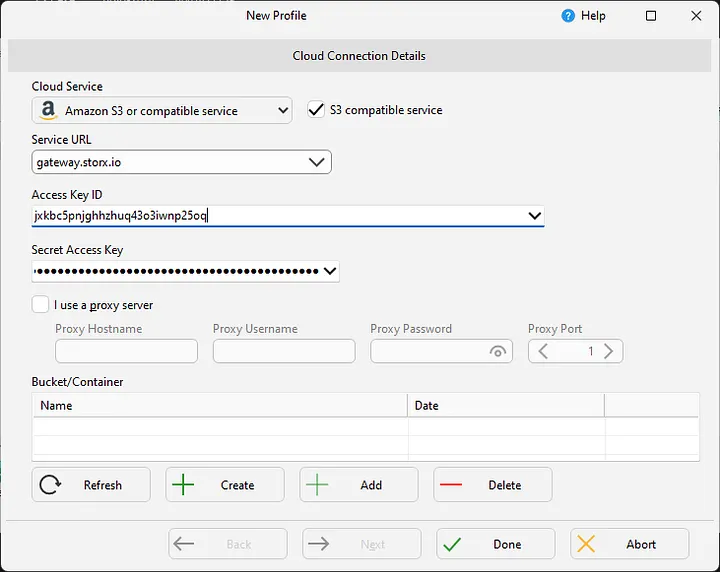
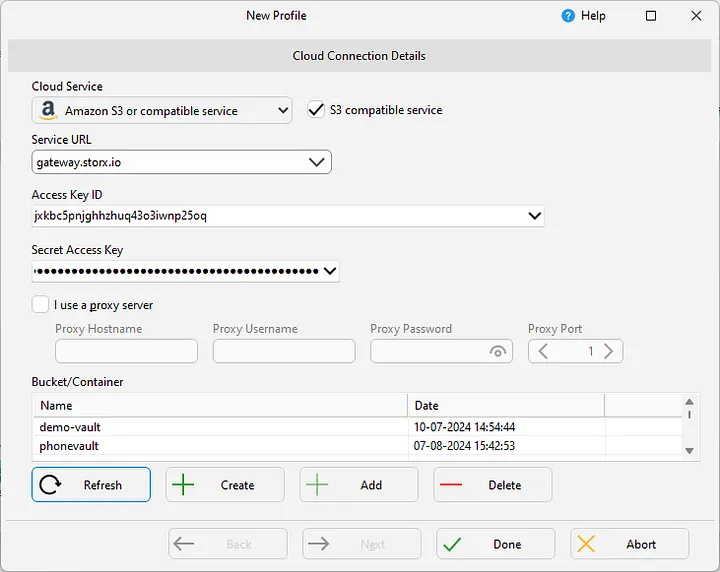
- Click the Refresh button to generate the list of your StorX vaults
- Make sure S3-compatible service is selected
6. Select the folder you want to back up and run a test profile:
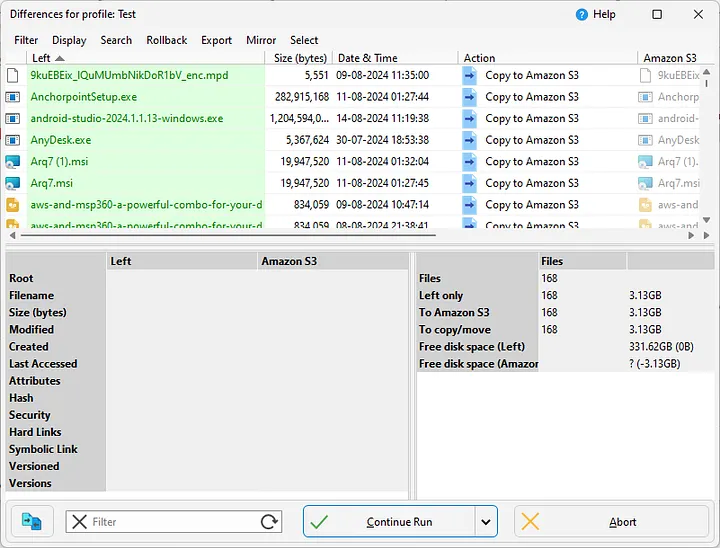
7. Click Continue Run to start the backup. You can monitor the status in real-time:
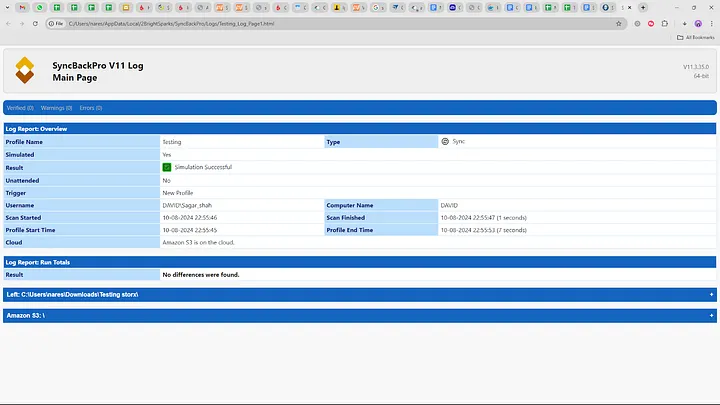
✓ Integration Complete! Your SyncBackPro is now configured to back up and synchronize files with StorX decentralized storage. Your data is securely encrypted and stored across the distributed network.
What You Can Do Now
- Scheduled Backups: Set up automatic backups on daily, weekly, or custom schedules
- Two-Way Sync: Keep folders synchronized between your computer and StorX
- File Versioning: Maintain multiple versions of your files
- Email Notifications: Get alerts about backup status
- Compression & Encryption: Optimize storage and secure your data
💡 Pro Tip: SyncBackPro supports advanced features like scripting and command-line operations. You can automate complex backup scenarios using the built-in scripting language or run profiles from the command line for integration with other tools.