



What is Duplicati?
Duplicati is a free, open-source backup client that securely stores encrypted, incremental, compressed backups on cloud storage services and file servers. It supports various storage backends including S3-compatible storage like StorX.
Installation
This section takes you through how to install Duplicati. For more installation instructions, see the documentation for Duplicati here.
1. Go to the download page and download the installer for Duplicati that matches your operating system.
2. Go to your downloads folder and run the downloaded file.
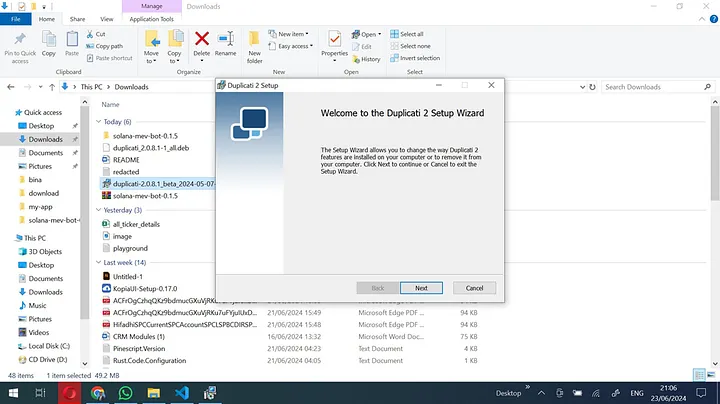
The installer will guide you through the installation steps.
Backing up files with Duplicati
1. Navigate to the start menu and open Duplicati.
2. Duplicati runs in the background. Check the system tray. If open, go to http://localhost:8200 in your browser.
3. To create a backup, click + Add backup.
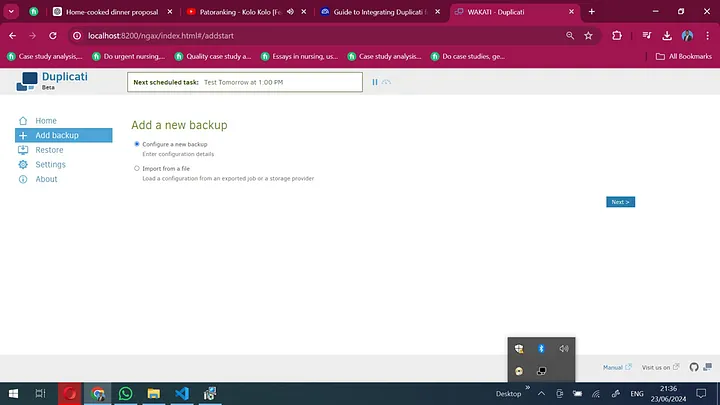
4. Configure your backup: add backup folder name, description, and preferred encryption algorithm. Encryption is highly recommended.
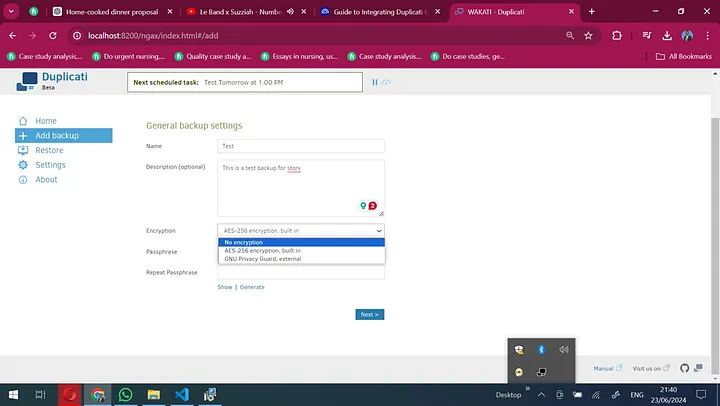
5. On the next page, select S3 Compatible as the storage type. Use the custom server URL and the StorX Access Credentials:
- Server:
gateway.storx.io - Bucket name: Your StorX vault name
- Access Key ID: Your StorX Access Key
- Secret Access Key: Your StorX Secret Key
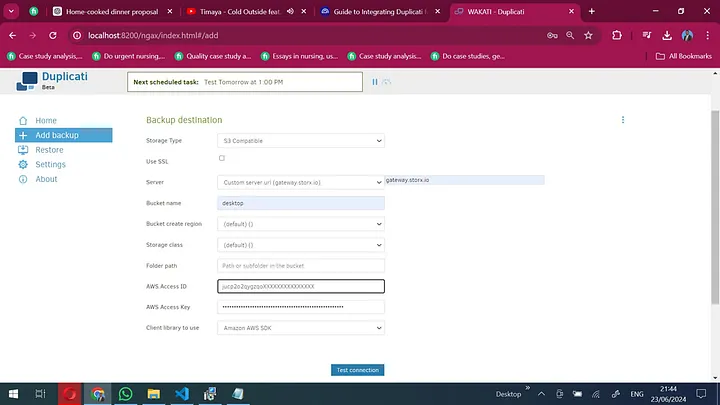
6. Click Test Connection. If everything is correct, you'll see a success message.
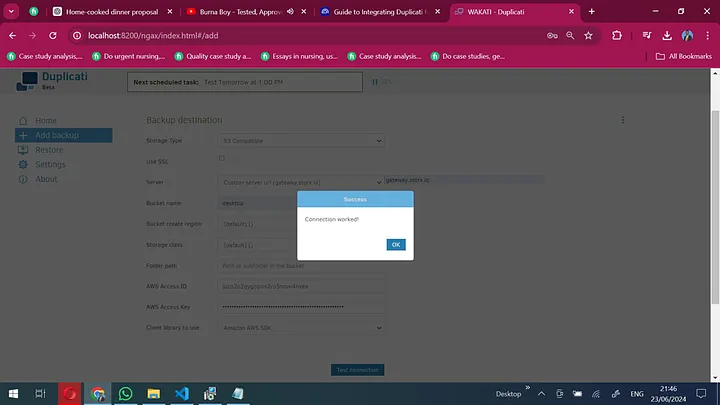
7. Select files/folders to back up.
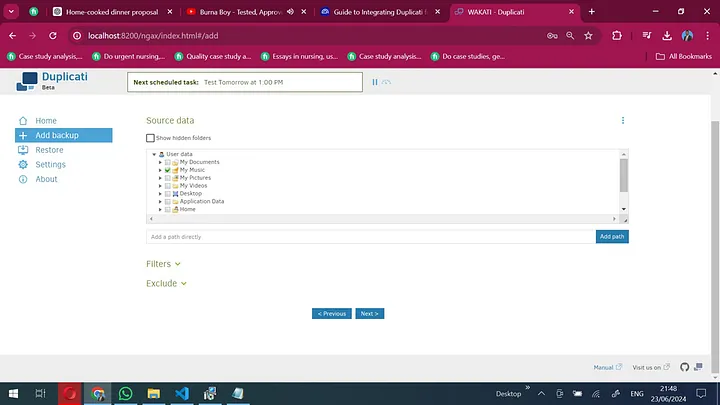
8. Configure backup schedule and frequency.
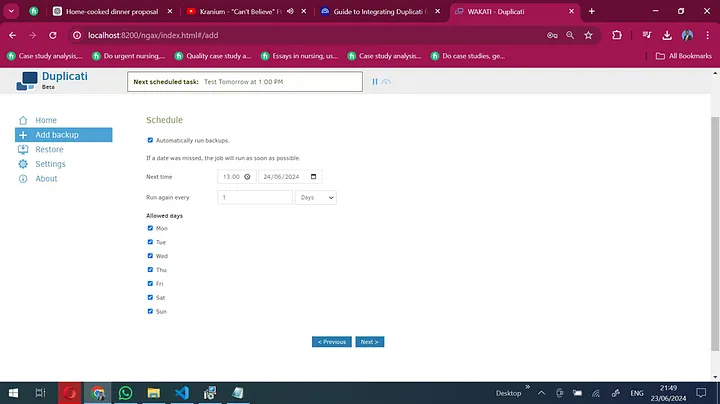
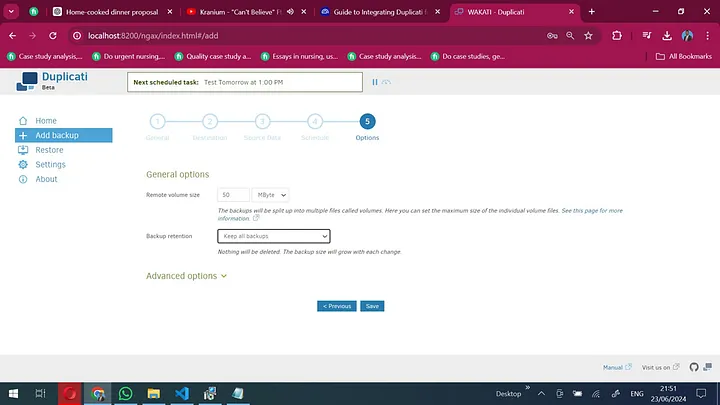
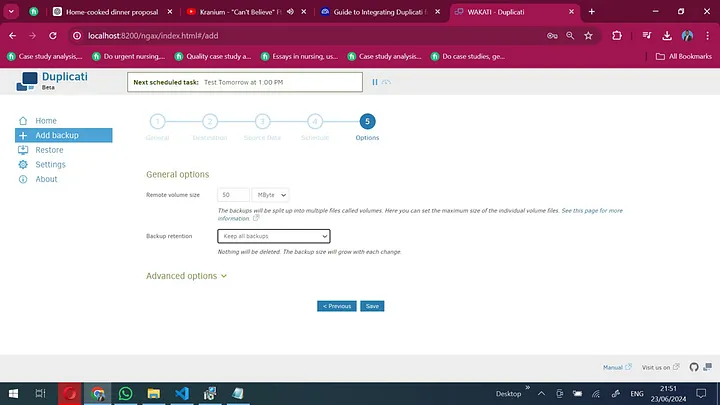
9. Review options and save.
10. Return to Home section to see all backup files. Click Run to start backup.
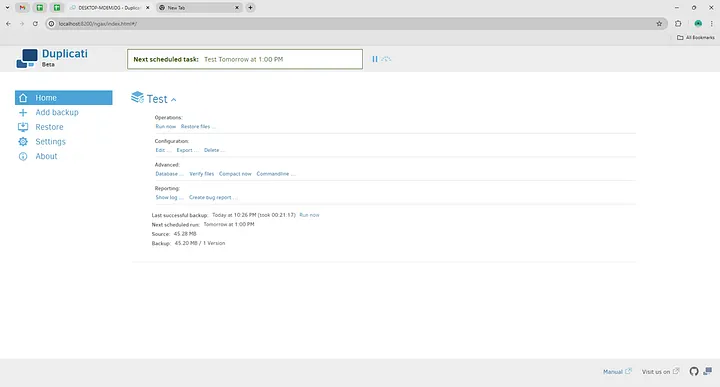
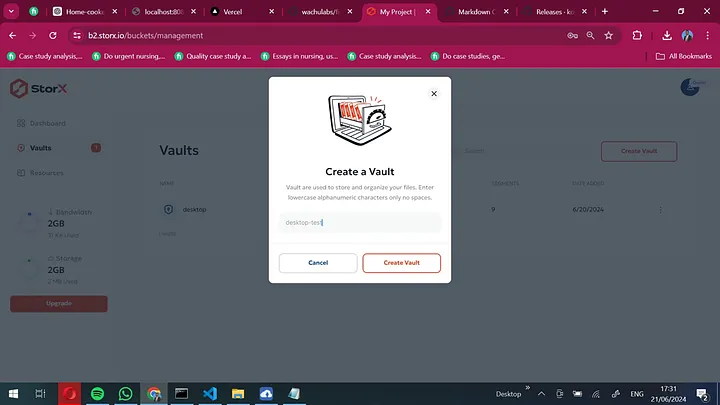
11. Once the backup is complete, navigate to your StorX vault to verify the files.
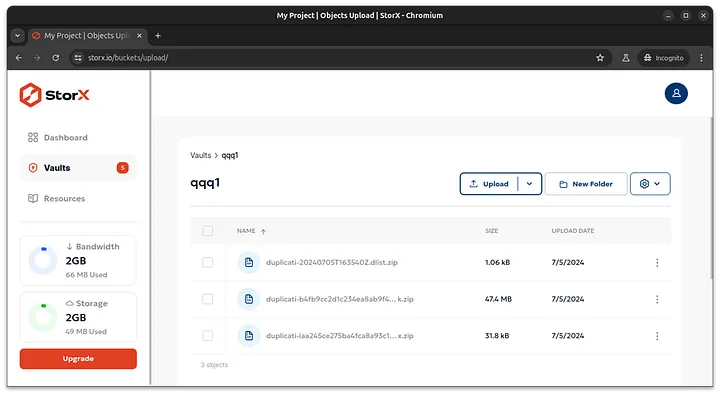
✓ Backup Complete! Your files have been successfully backed up to StorX using Duplicati. Your data is now securely stored in decentralized storage with encryption and incremental backups.
Benefits of Using Duplicati with StorX
- Encrypted Backups: Duplicati encrypts your data before upload, and StorX adds another layer of security
- Incremental Backups: Only changed files are uploaded, saving bandwidth and storage
- Open Source: Both Duplicati and StorX are built on open-source principles
- Scheduled Backups: Automate your backups with Duplicati's scheduling
- Compression: Duplicati compresses data to reduce storage costs
Pro Tip: Set up email notifications in Duplicati to receive backup reports and alerts. You can also configure retention policies to automatically delete old backups.