



What is Restic?
Restic is a backup client written in Go, and it is highly secure and efficient. Each Restic backup is a snapshot of the server/files/directory, deduplicated from what was stored before. Any restore to a given backup will restore the server/files/directories to the exact state they were at that time.
This is a quick-start tutorial that covers Restic usage with StorX. The complete documentation for Restic is located here.
1. Install Restic on Linux
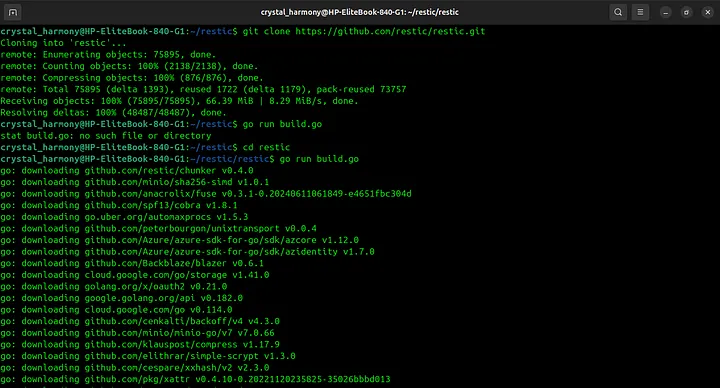
1. Clone the repository from GitHub:
git clone https://github.com/restic/restic.git
2. Navigate to the directory:
cd restic
3. Build restic (requires Go installed):
go run build.go
4. Move the binary to a directory in your PATH:
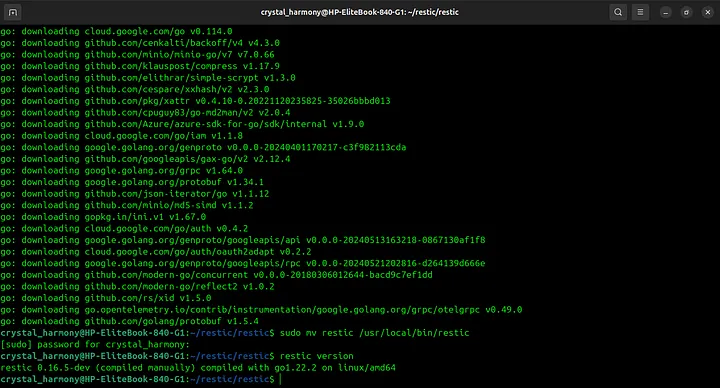
sudo mv restic /usr/local/bin/restic
5. Make it executable (if needed):
chmod +x /usr/local/bin/restic
6. Verify installation:
restic version
2. Get StorX Access Credentials
3. Configure Restic with StorX
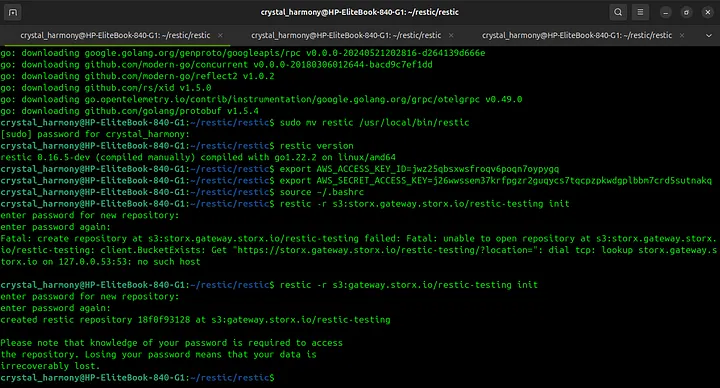
1. Set environment variables for your StorX credentials:
export AWS_ACCESS_KEY_ID="your-access-key-id"
export AWS_SECRET_ACCESS_KEY="your-secret-access-key"

2. Reload your shell profile:
source ~/.bashrc (or ~/.bash_profile or ~/.zshrc)

3. Create a bucket/vault in StorX (e.g., "restic-testing"):
4. Initialize the Restic repository:
restic -r s3:gateway.storx.io/your-bucket-name/path/to/repo init
restic -r s3:gateway.storx.io/restic-testing init (example)
⚠️ Important: You will be prompted to set a password for the repository. Save this password securely - losing your password means your data is irrecoverably lost.
4. Using Restic with StorX
Backing Up Data
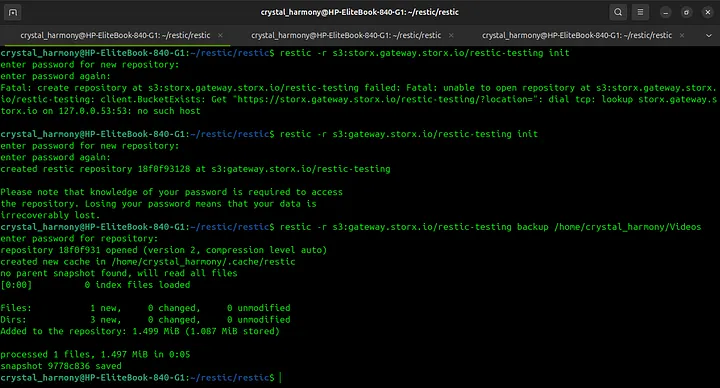
restic -r s3:gateway.storx.io/restic-testing backup /path/to/your/data
restic -r s3:gateway.storx.io/restic-testing backup /home/crystal_harmony/Videos
(example)
Listing Snapshots
restic -r s3:gateway.storx.io/restic-testing snapshots
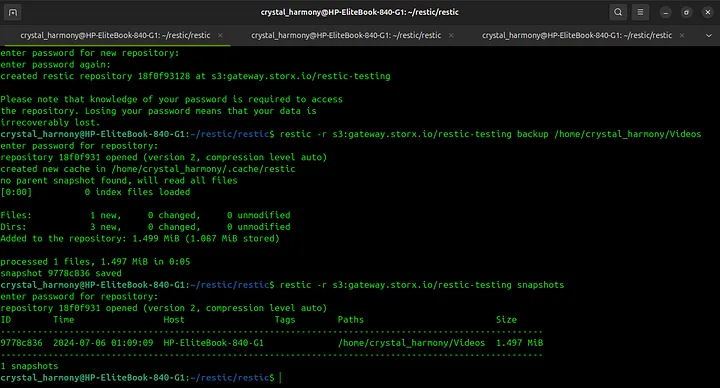
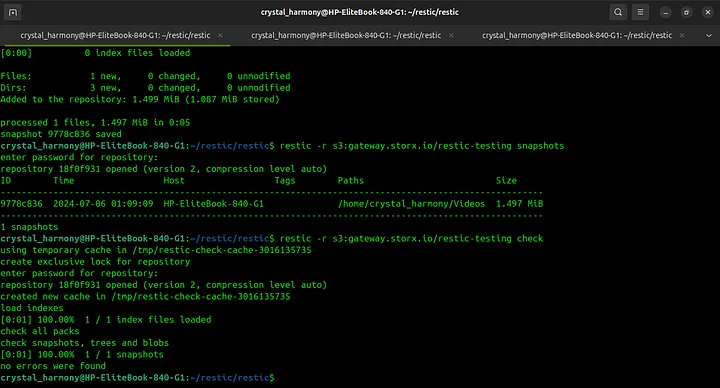
Checking Repository Integrity
restic -r s3:gateway.storx.io/restic-testing check
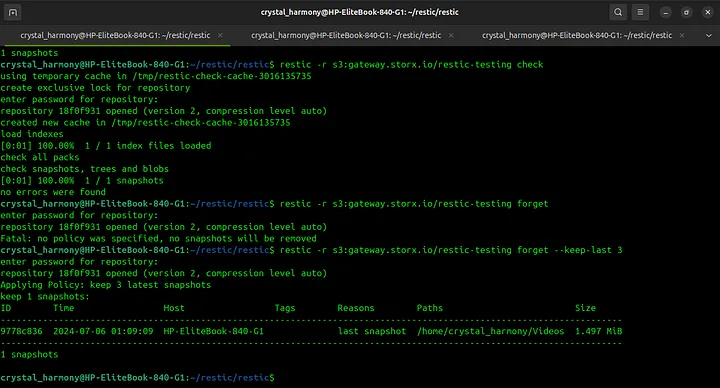
Forget Old Snapshots
restic -r s3:gateway.storx.io/restic-testing forget --keep-last 3
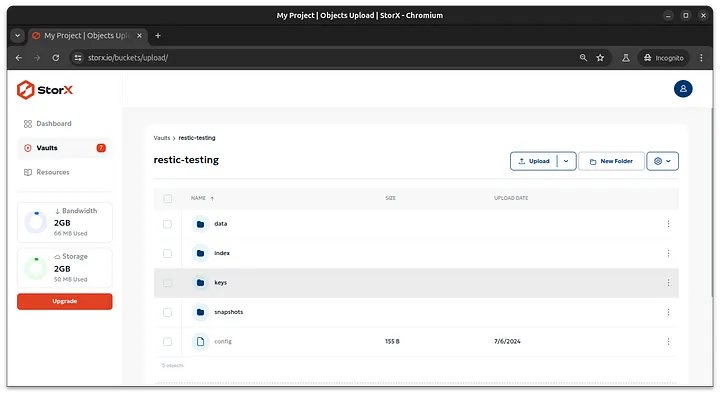
All changes will be reflected in your StorX vault:
✓ Integration Complete! Restic is now successfully configured to work with your StorX decentralized storage. Your backups are encrypted, deduplicated, and securely stored in the StorX network.
Additional Useful Commands
# Restore a snapshot
restic -r s3:gateway.storx.io/restic-testing restore <snapshot-id> --target /path/to/restore
# Mount repository as filesystem
restic -r s3:gateway.storx.io/restic-testing mount /mnt/restic
# Prune old data after forgetting snapshots
restic -r s3:gateway.storx.io/restic-testing prune
💡 Pro Tip: Automate your backups using cron. Add a line like this to your crontab for daily backups at 2 AM:
0 2 * * * /usr/local/bin/restic -r s3:gateway.storx.io/restic-testing backup /home/user/documents