



What is Anchorpoint?
Collaborate on Unity and Unreal Engine projects. Anchorpoint is a painless version control solution for creative people. It can be used in game development, animation, and any other real-time project.
Key Features
- Seamless version control for creative projects
- Real-time collaboration on Unity and Unreal Engine
- Intuitive interface designed for creative professionals
- Cloud drive integration for flexible storage options
Before you begin: You need an active StorX account. Sign up here if you don't have one.
Required Credentials
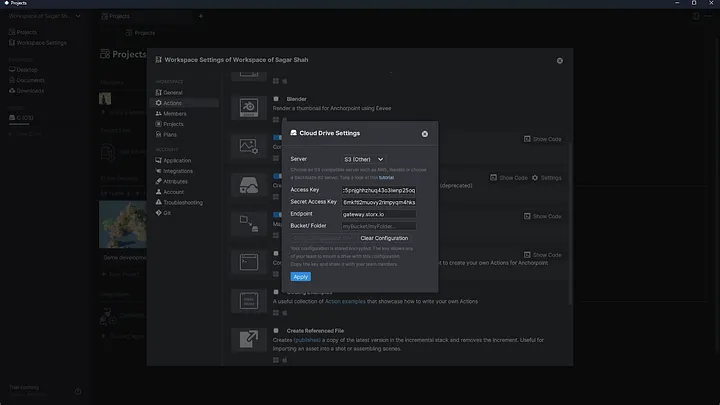
To connect Anchorpoint with StorX, you'll need the following credentials from your StorX account:
- Access Key - Your unique access identifier
- Secret Key - Your private security key
- Endpoint URL - The StorX storage endpoint
Setting up Anchorpoint with StorX
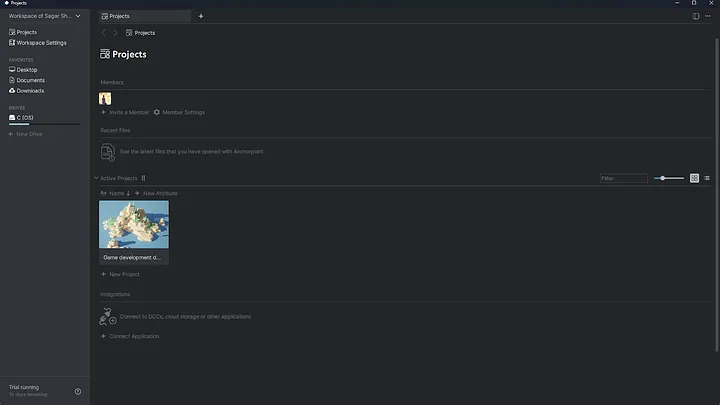
1. Install and open Anchorpoint. The interface will look like this:
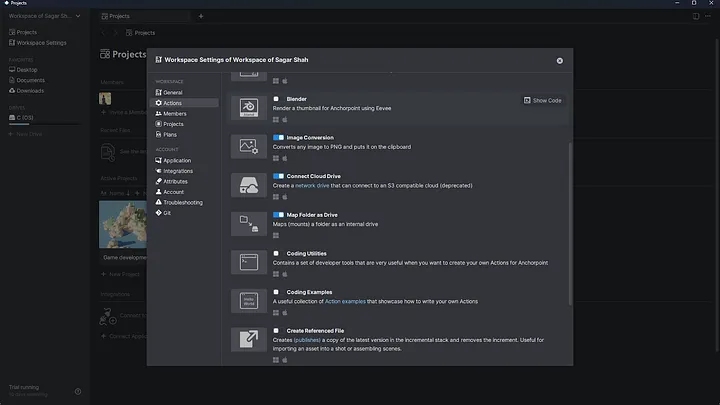
2. Go to Workspace Settings → Actions and enable Connect Cloud Drive.
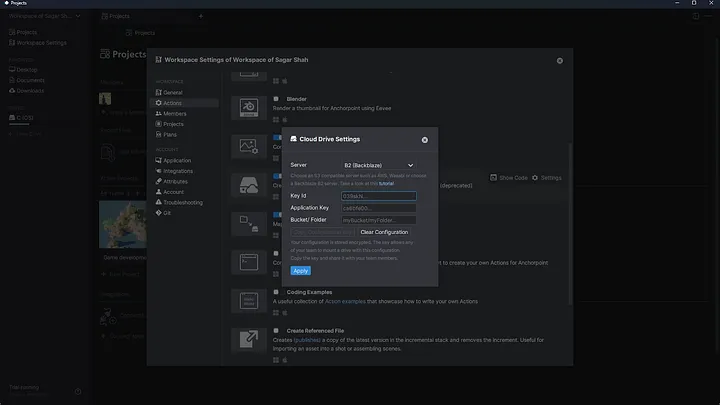
3. Click on Settings in the cloud drive section.
4. Follow the instruction to get StorX Access Credentials .
5. Click Apply, then go to the home screen and select New Drive → Mount Drive.
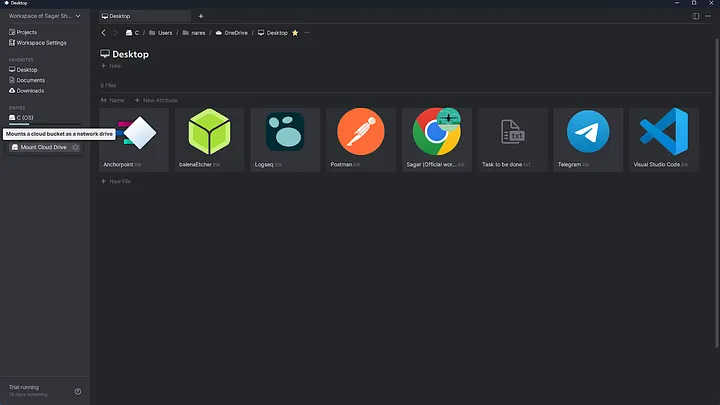
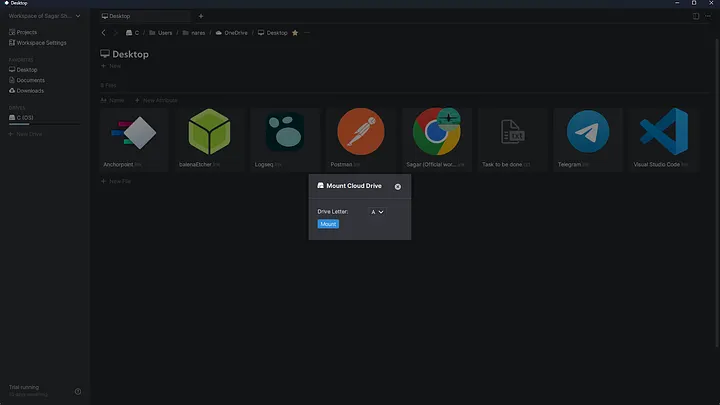
6. Complete the mount drive setup.
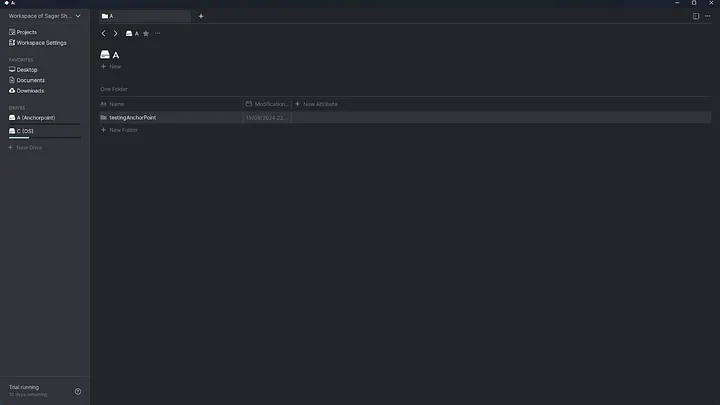
7. Your cloud account will appear in the left navigation. Files created here will sync with StorX.
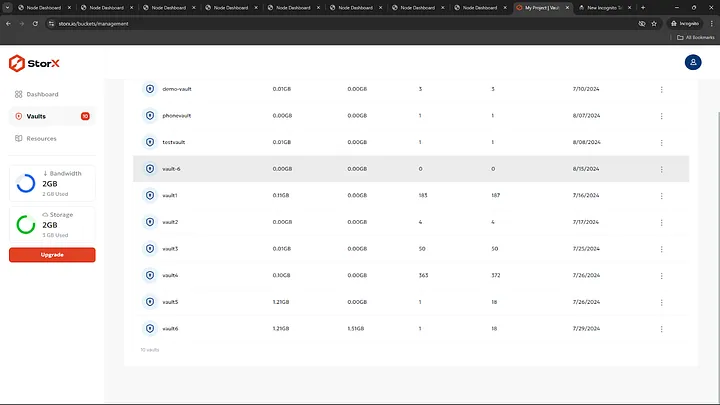
Vault Contents:
- The vault (e.g., vault-6) you created
- Files within the vault are accessible and manageable
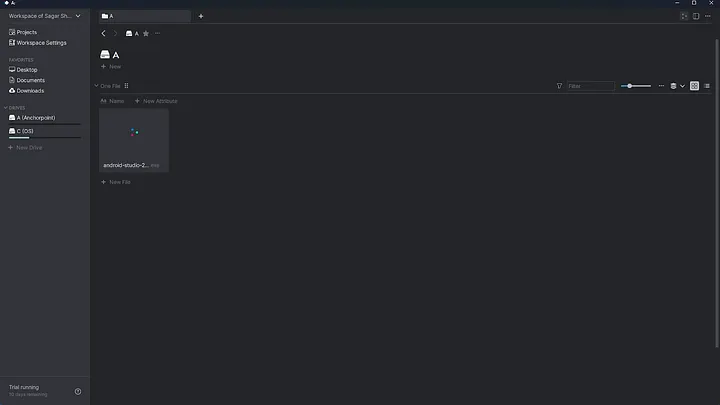
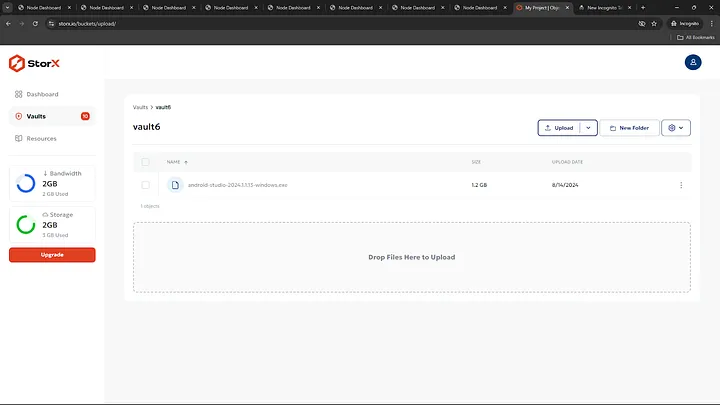
✓ Success! You have successfully integrated Anchorpoint with StorX. Your creative projects can now leverage decentralized storage for version control and collaboration.
Benefits of Using StorX with Anchorpoint
- Decentralized Storage: Your project files are stored securely across a distributed network
- Cost-Effective: Pay only for what you use with no hidden fees
- Collaboration Ready: Team members can access files from anywhere
- Version Control: Anchorpoint's versioning works seamlessly with StorX storage