



What is Archiware P5?
Archiware's P5 Software Platform is ideal for businesses in the Media and Entertainment industry. Four modules in the Archiware P5 Suite secure data using the A-B-C of data management: Archive, Backup and Cloning.
Advantages of using Archiware P5 with StorX
- Browser-Based Management: P5's server backup is browser based and allows easy configuration, administration and monitoring – regardless of your location. The backup includes all your data as well as extended attributes, permissions, and resource forks.
- Parallel Processing: Through parallelization, P5 Backup software supports multiple drives, tasks and clients simultaneously. Even large data sets can be backed up in the shortest time possible. Backups are interruptible and will resume automatically.
- Scalable Design: Growing with your requirements, P5's modular design allows for optimal scaling. You can easily add further Archiware products, hardware or media to expand your setup.
- Cloud Backup Support: Flexibility and efficiency is extended with the Backup to the cloud feature. Supported clouds include Amazon S3, Amazon Glacier, Hitachi S3, Google Cloud, Microsoft Azure, Wasabi S3, Backblaze B2, and Generic S3 (including StorX).
- Platform Neutral: P5 Backup software stores your data in a platform-neutral format, allowing you to back up and restore data from and to any platform.
- Encryption & Security: Files can be encrypted during transfer over a network and/or on the storage media. P5 also backs up access rights and ACLs of a file.
- Intelligent Reporting: P5 compares storage to be backed up with index and reports the total number of new/changed/moved files, helping anticipate backup windows and storage requirements.
- Incremental Backups: Only backs up files which have been added or modified since the last backup run, saving time and storage space.
Before you begin: You need an active StorX account. Join our community →
Required Credentials
Once your StorX account is set up, you'll need these credentials:
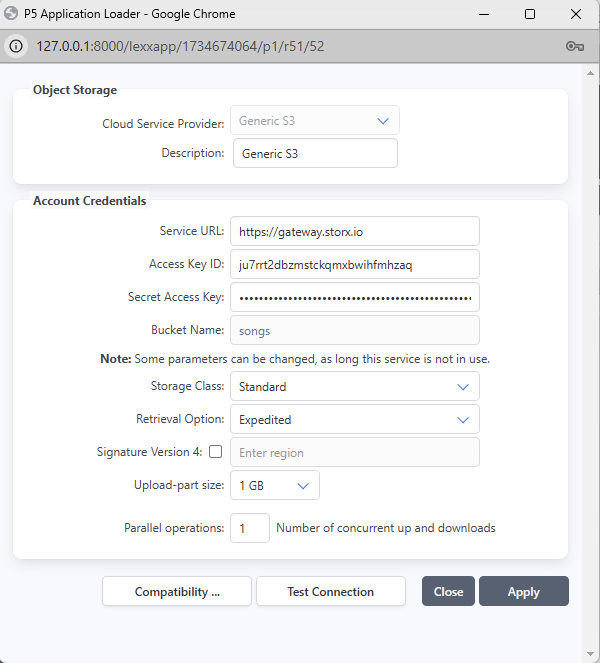
- Access Key - Your unique access identifier
- Secret Key - Your private security key
- Endpoint URL - The StorX storage endpoint
Integrating Archiware P5 with StorX
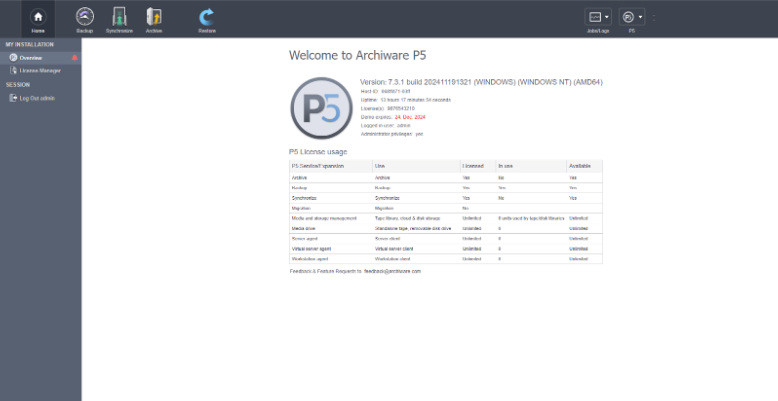
1. After installation, open Archiware P5. It will open in your browser and prompt you to log in. The interface will look like this:
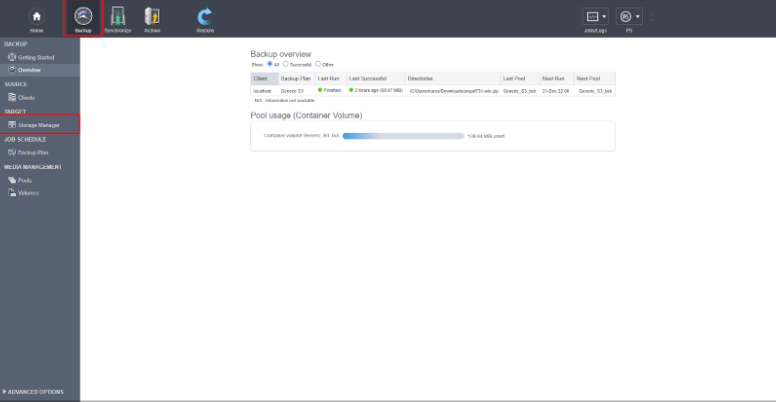
2. Click on Backup in the header and select Storage Manager:
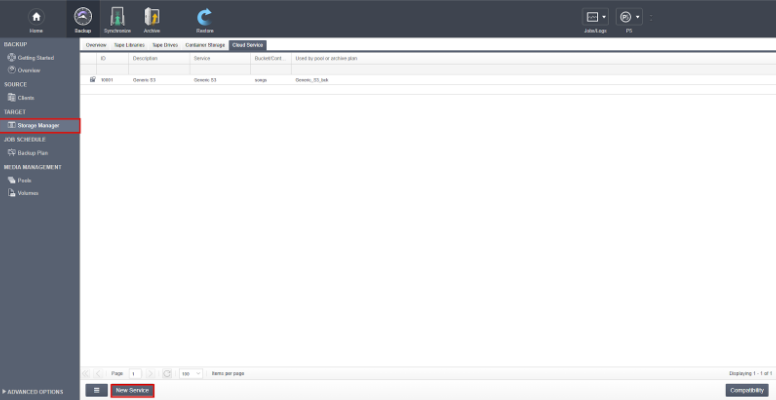
3. In the Backup section, click New Service:
4. In the popup, select Generic S3 as the storage type and enter your StorX Access Credentials. Click Apply
Setting up a Backup Plan
5. Click Setup Assistant to configure your backup plan:
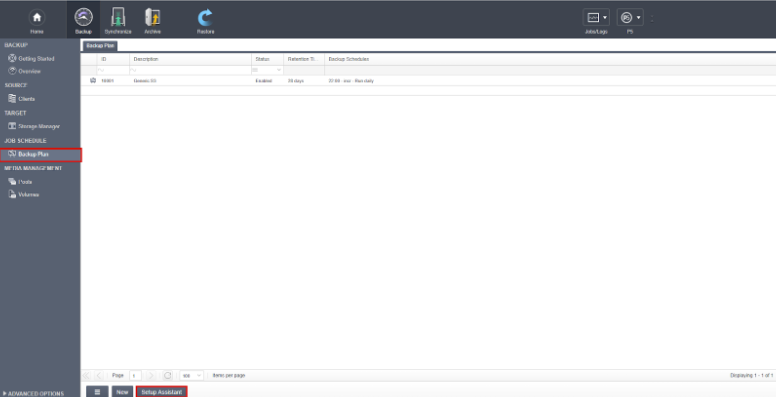
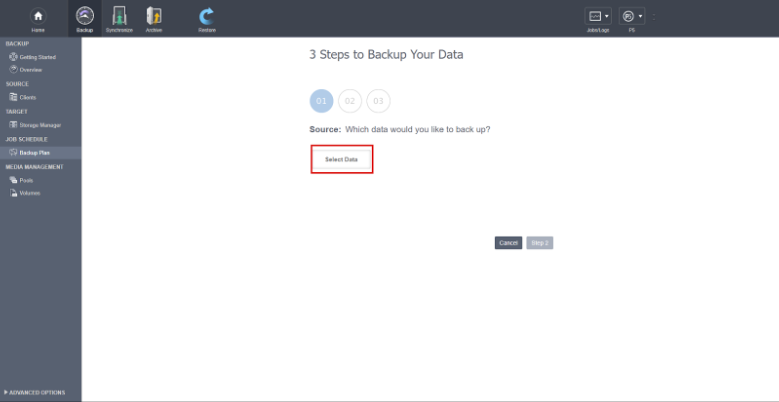
6. Click Select data to choose files for backup:
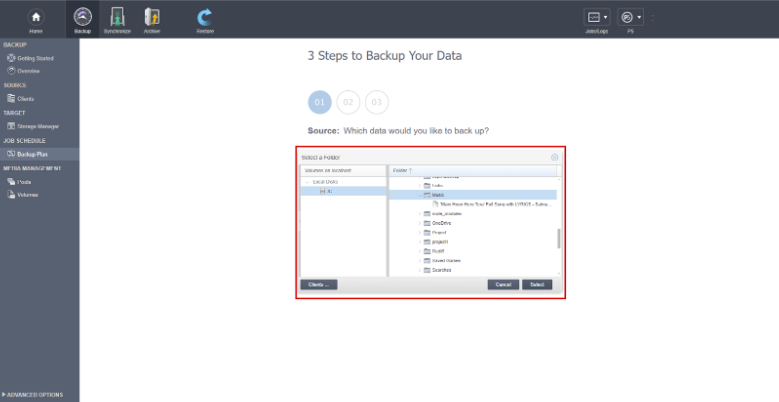
7. Choose the folders you want to back up to StorX:
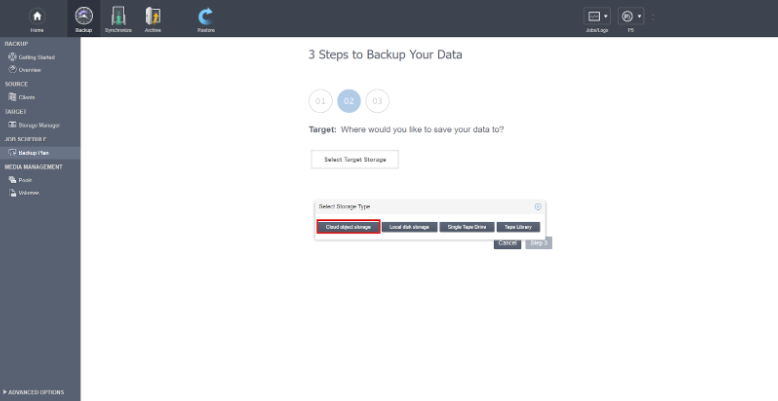
8. Select Cloud Object Storage as the destination:
9. Choose the cloud storage type and folder path for backup:
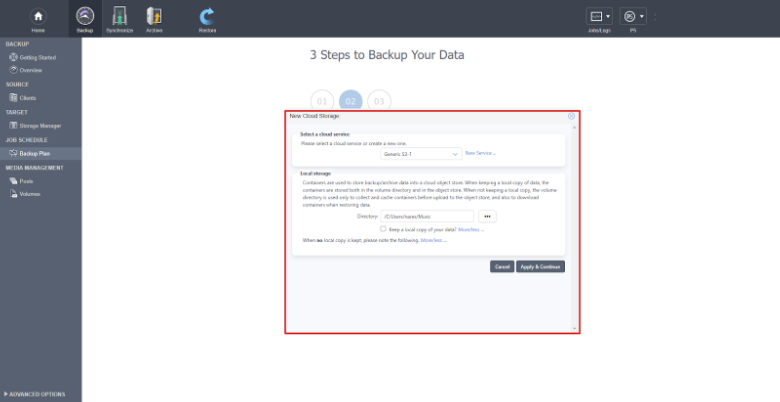
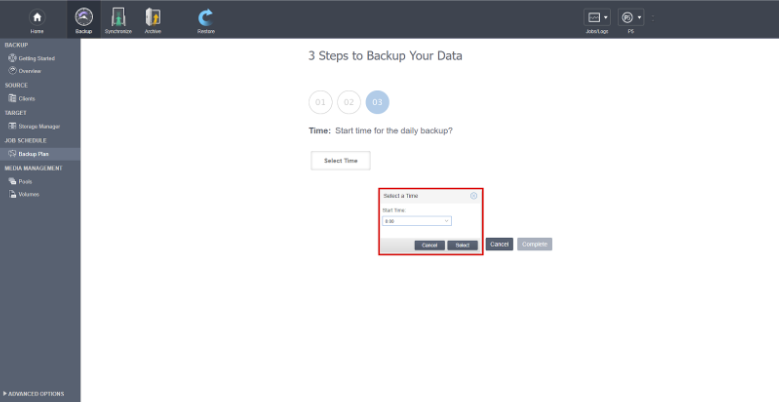
10. Set the schedule and click Continue. Your data will now back up to StorX on a daily basis:
Configuring Archive
1. Click on Archive in the top menu and select Archive Plan:
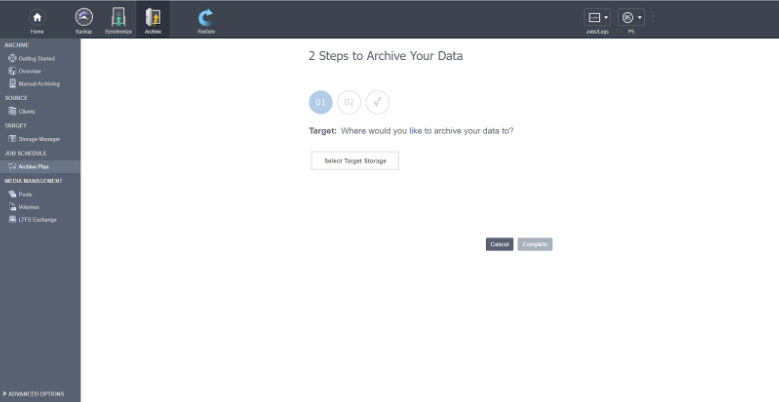
2. Select Cloud Object Storage as the target storage type:
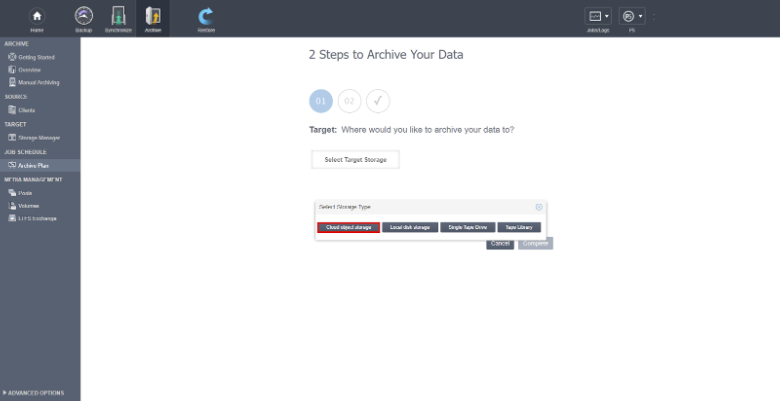
3. Choose the cloud storage type and folder path for archiving, then click Complete:
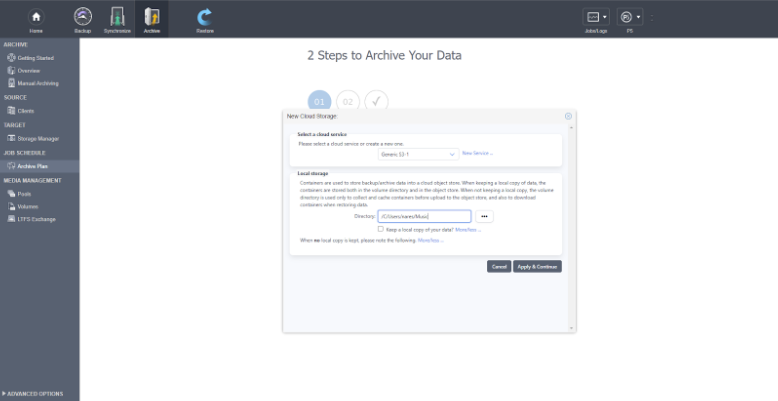
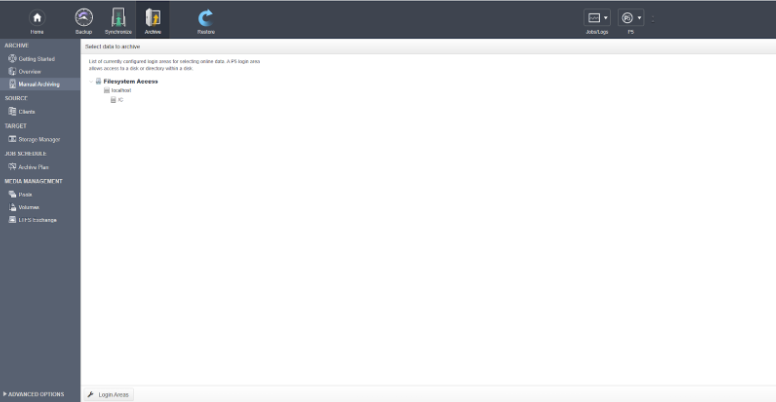
4. In Manual Archiving, select the data you want to archive:
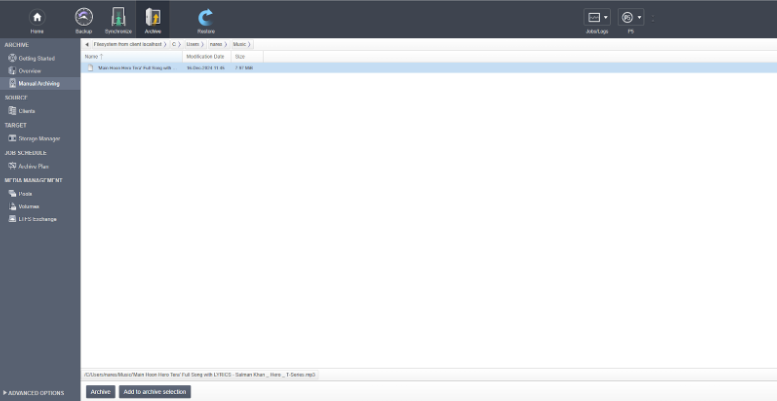
5. Select the data and click the Archive button:
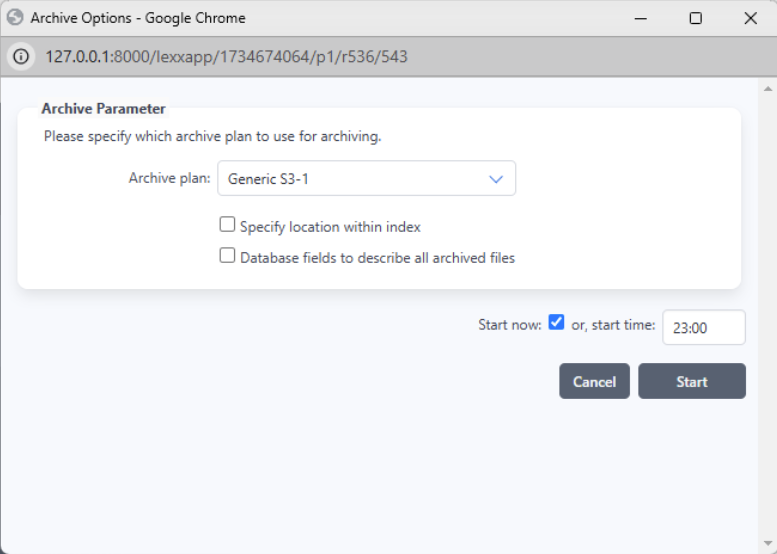
6. Configure the archive plan and path, then click Start:
7. Click Monitor to track the archiving process:
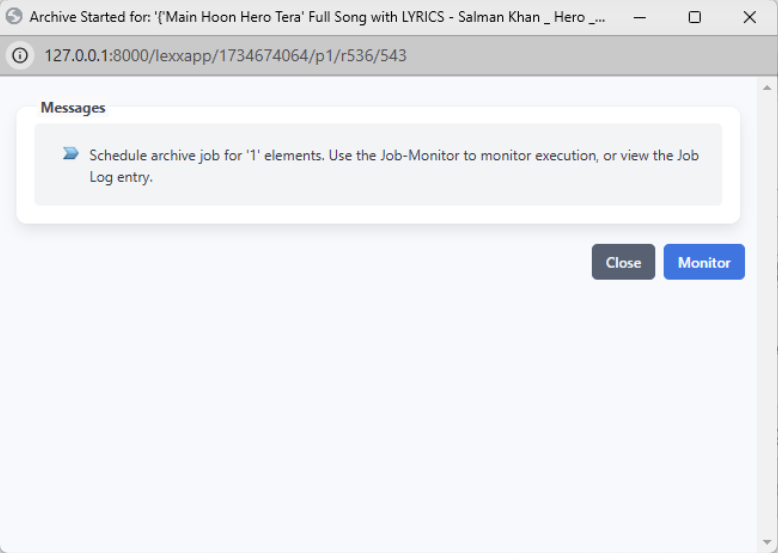
8. The P5 job progress will be displayed:
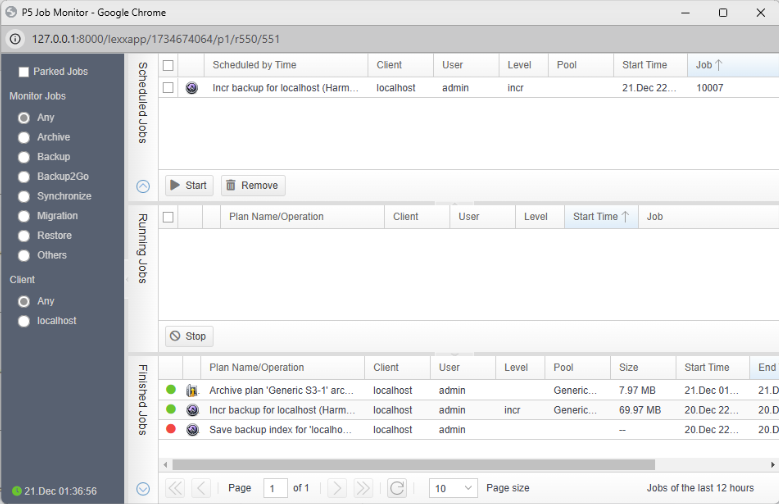
✓ Integration Complete! You have successfully integrated Archiware P5 with StorX. Your data is now being backed up and archived to decentralized storage.