


What is Arq7?
Arq backs up your files. You control your data. Arq7 is a powerful backup solution that gives you complete control over your backups with strong encryption and flexible storage options.
Key Features of Arq7
- You Control Your Data: Your files belong to you, not a cloud provider
- Strong Encryption: Files are encrypted before they leave your computer
- Version History: Keep multiple versions of your files
- S3-Compatible Storage: Works with StorX decentralized storage
- Cross-Platform: Available for Windows and macOS
Before you begin: You need an active StorX account. Sign up here if you don't have one.
Required Credentials
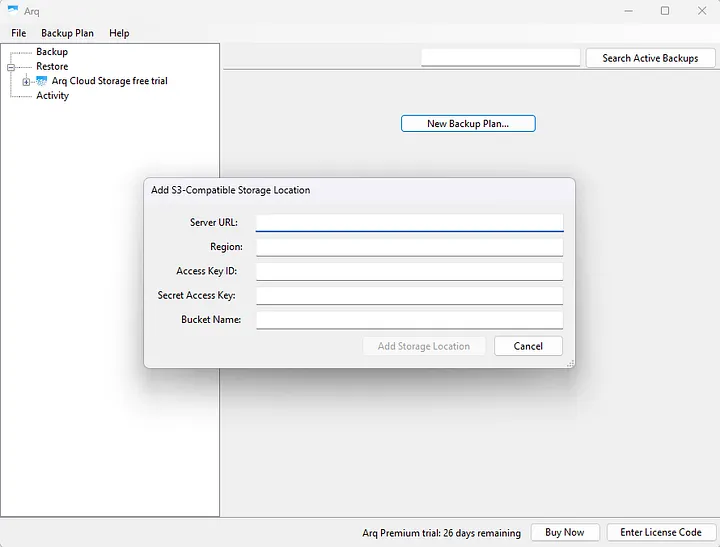
To connect Arq7 with StorX, you'll need the following credentials from your StorX account:
- Access Key - Your unique access identifier
- Secret Key - Your private security key
- Endpoint URL - The StorX storage endpoint
- Vault name - The StorX storage Vault
Setting up Arq7 backup with StorX
1. Once you have installed Arq7, open the application:
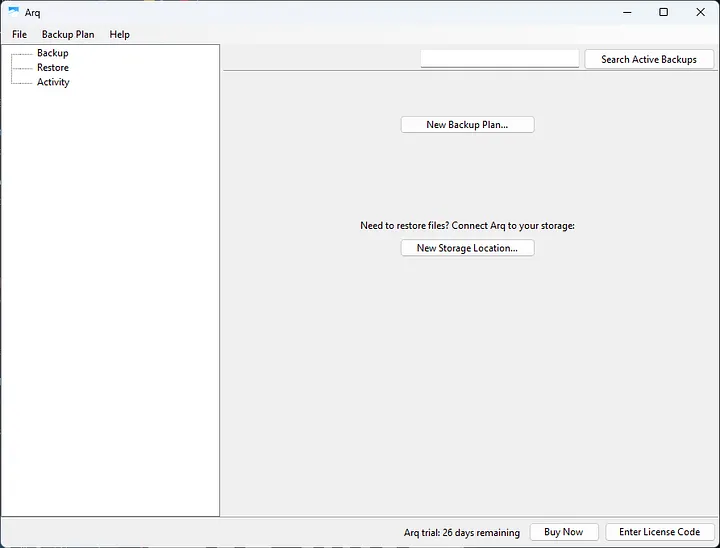
2. Click on New Backup Plan and add a storage location:
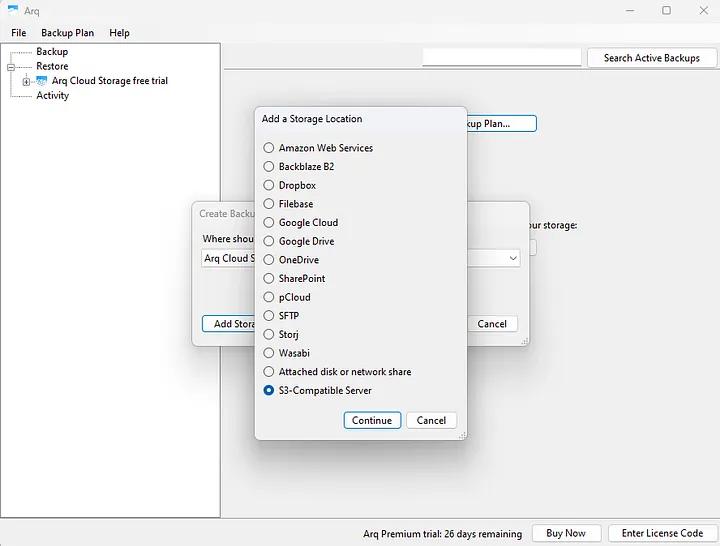
3. Select S3-Compatible Server and click Continue. Enter your StorX Access credentials in the pop-up:
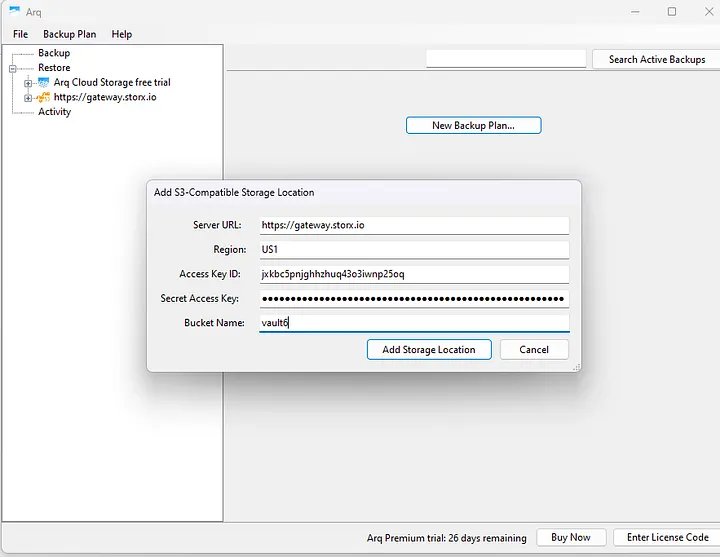
4. Provide an encryption password and click Continue. This password will be used to encrypt your files before they leave your computer.
5. Add the backup plan and path in the application and save:
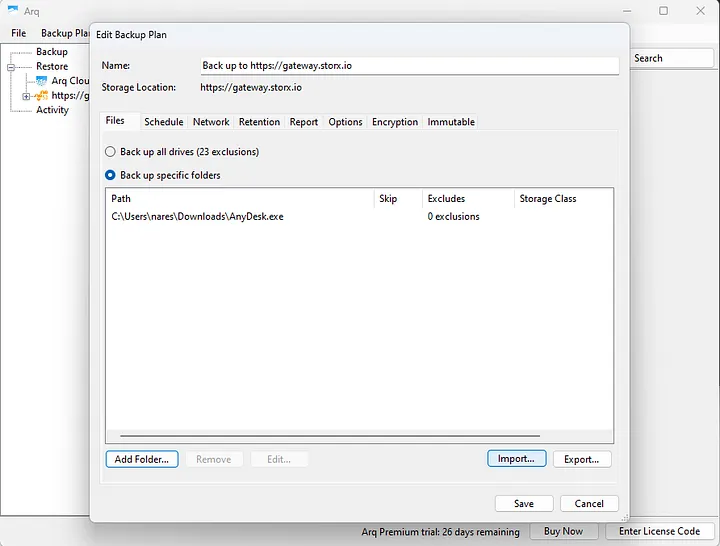
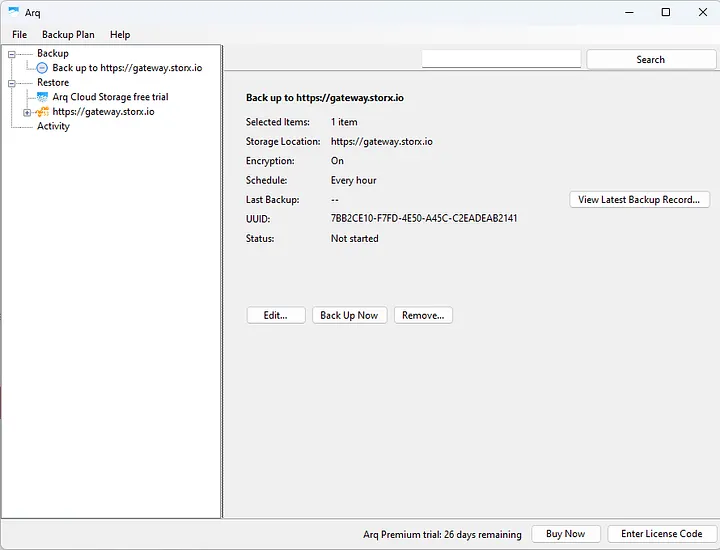
6. Your backup will appear in the application. You can manage the scheduling based on your convenience:
7. View your backup files in StorX:
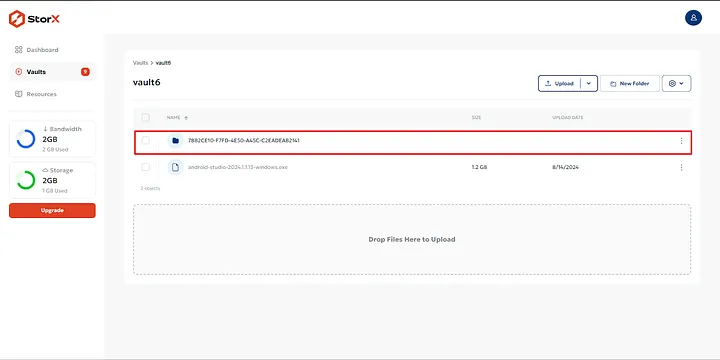
✓ Success! You have successfully completed the backup setup in StorX using Arq7. Your files are now securely backed up to decentralized storage.
Benefits of Using StorX with Arq7
- Decentralized Storage: Your backups are stored across a distributed network for maximum reliability
- End-to-End Encryption: Combined encryption from Arq7 and StorX ensures your data remains private
- Cost-Effective: Pay only for what you use with no hidden fees
- Complete Control: You maintain ownership and control of your backup data