



What is BucketAnywhere S3?
BucketAnywhere for S3 is an Android app available on the Google Play store that allows you to connect to an S3-compatible cloud storage solution like StorX and mount a bucket to your Android device. This allows you to access and manage objects stored on StorX directly from your mobile device.
Available on Google PlayFree version available with premium option for ad-free experience
Advantages of BucketAnywhere S3 with StorX
- S3 File Manager: BucketAnywhere is an S3 file manager for Android devices that allows managing multiple S3 buckets from cloud storage services.
- Complete File Management: Comes with both handset and S3 file managers. Provides download, upload, and folder synchronization features.
- Advanced Features: Supports S3 server-side encryption and reduced redundancy. File managers allow renaming, deleting, and copying files.
Download: You can download BucketAnywhere S3 from the Google Play Store. The app offers both free and premium versions - users can enjoy an ad-free experience with the premium version.
Before you begin: You need an active StorX account. Join our community →
Required Credentials
Once your StorX account is set up, you'll need these credentials:
- Access Key - Your unique access identifier
- Secret Key - Your private security key
- Endpoint URL - The StorX storage endpoint
(
gateway.storx.io)
How to Connect StorX with BucketAnywhere S3
1. Install BucketAnywhere S3 from the Google Play Store on your Android device. Open the application:
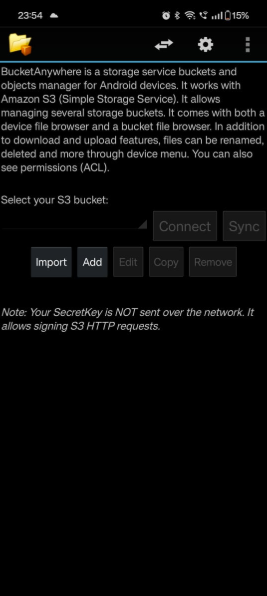
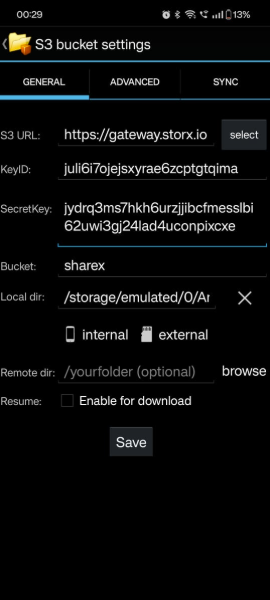
2. Tap the Add button and enter your StorX Access Credentials:
- Access Key
- Secret Key
- Endpoint:
gateway.storx.io - Bucket/Vault name
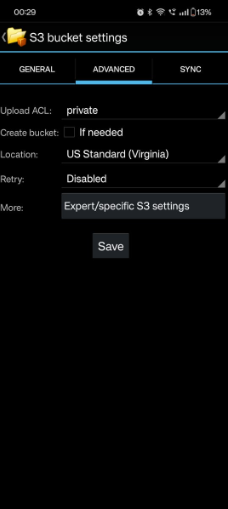
3. Navigate to the Advanced section and select More options:
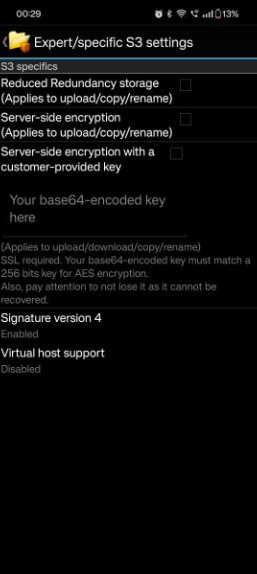
4. Enable Signature Version 4 (important for StorX compatibility):
5. Navigate back and save your settings. Once saved, connect to your bucket from the main interface:
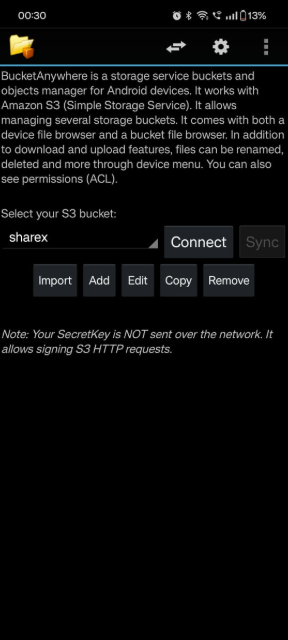
6. Once connected, you'll be able to view and manage files within your StorX vault. From here you can:
- Upload files to StorX
- Download files from StorX
- Delete files
- Create folders
- Synchronize folders
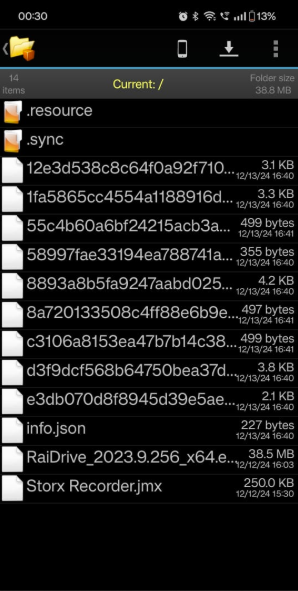
✓ Integration Complete! You have successfully connected BucketAnywhere S3 with StorX. You can now access and manage your decentralized storage directly from your Android device.
Tips for Using BucketAnywhere with StorX
- Ensure Signature Version 4 is enabled for proper authentication
- Use the folder synchronization feature for efficient backup management
- Take advantage of server-side encryption for sensitive data
- Consider the premium version for an ad-free experience with additional features