



What is Iperius Backup?
The most comprehensive and versatile backup software. Iperius Backup provides backup solutions for PCs, Servers, Virtual Machines, Databases, Mail Servers, and Microsoft 365.
Key Features:
- Any Destination: Cloud, S3, NAS, FTPS, Google Drive, etc.
- All-in-One solution with Perpetual License
- Support for virtual machines and databases
- Email and Microsoft 365 backup capabilities
Download Iperius Backup: https://www.iperiusbackup.de/dsib.aspx?v=free
Before you begin: You need an active StorX account. Join StorX →
Setting up Iperius Backup with StorX
1. Download and install Iperius Backup. Once installed, open the application:
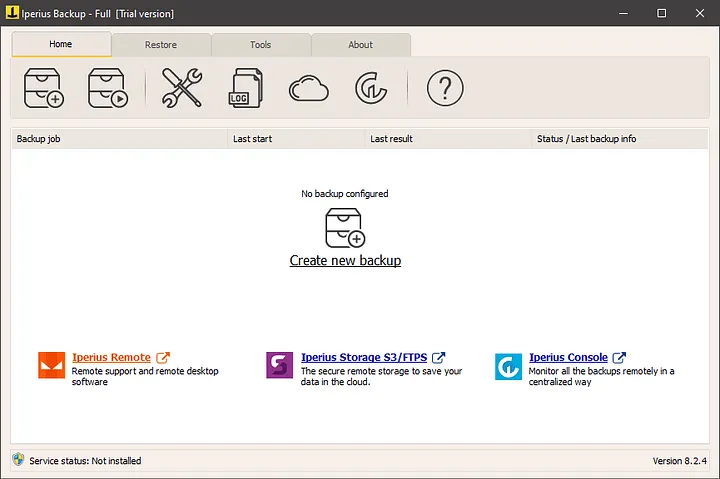
2. Click on Create New Backup in the application.
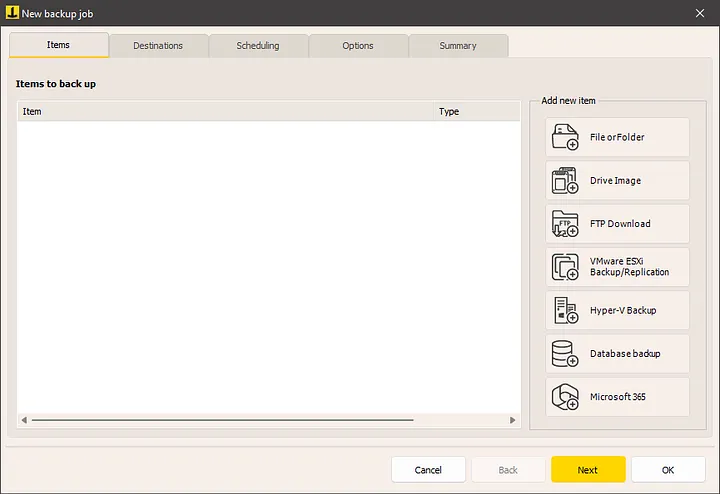
3. Select the Destinations tab, and click Add Destination on Cloud.
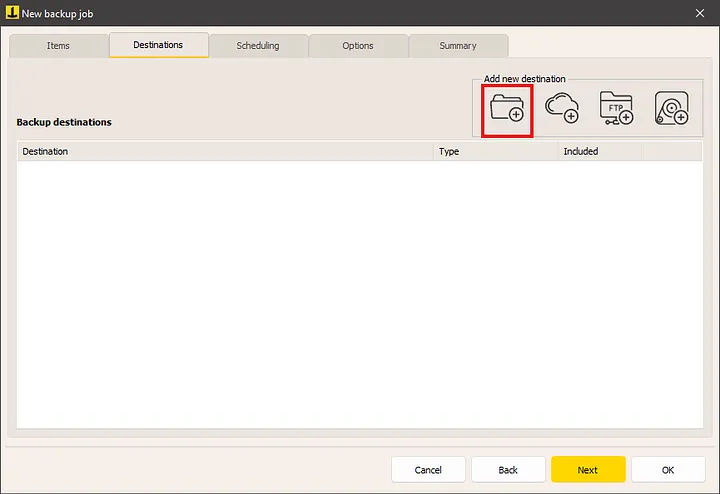
4. Add a new destination and provide a folder name for the target.
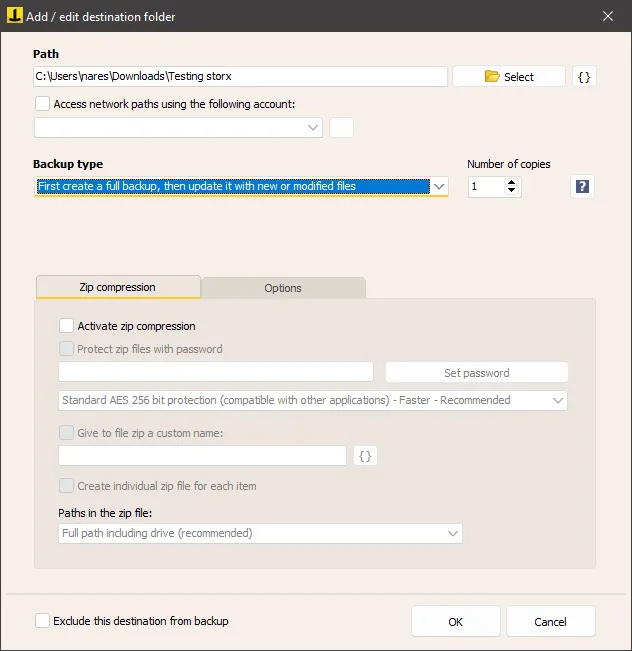
5. Select S3 Compatible as the cloud target.
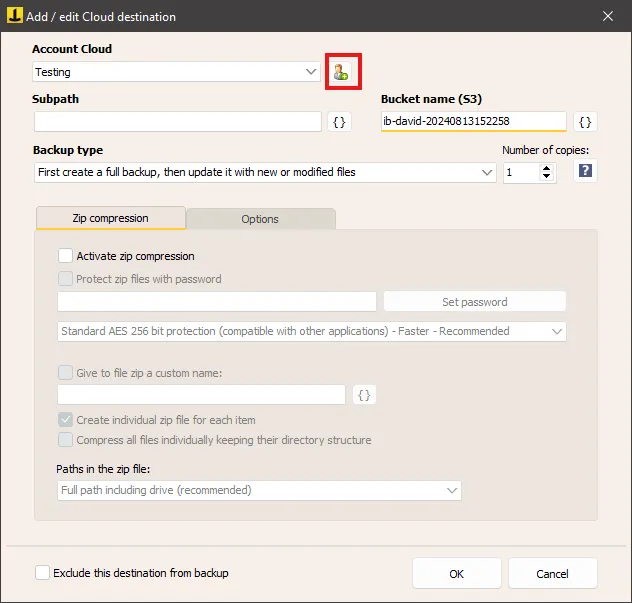
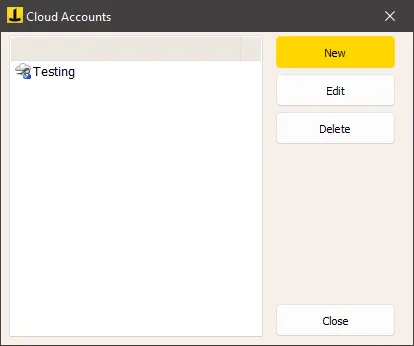
6. Click on the icon and select New in the pop-up window.
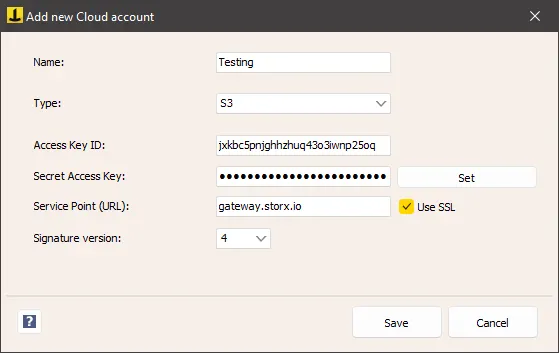
7. Select the type as S3 compatible, enter your StorX Access Credentials, and click Save:
- Access Key
- Secret Key
- Endpoint:
gateway.storx.io - Bucket name (your StorX vault)
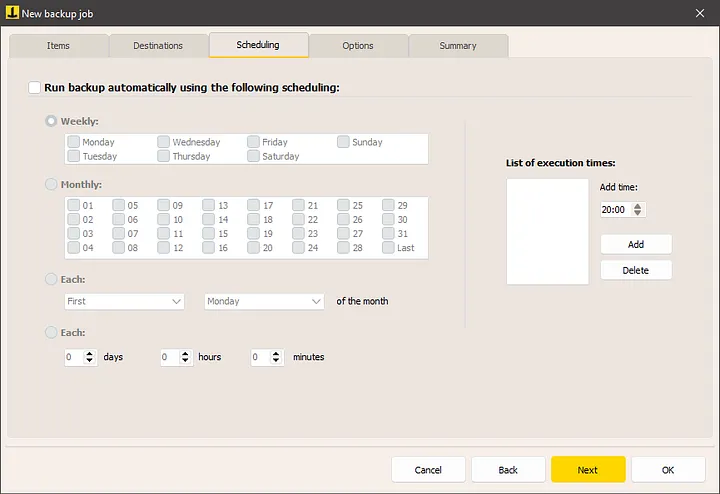
8. Configure the backup scheduling as needed.
Restoring Files from StorX
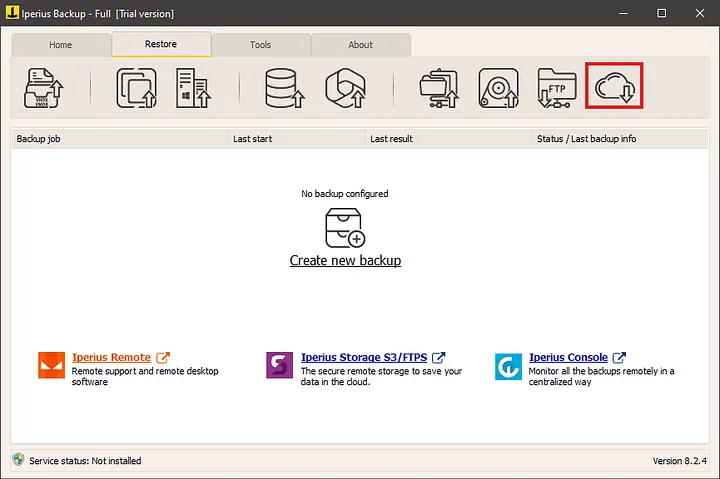
a. Click on the Restore from Cloud icon in the UI.
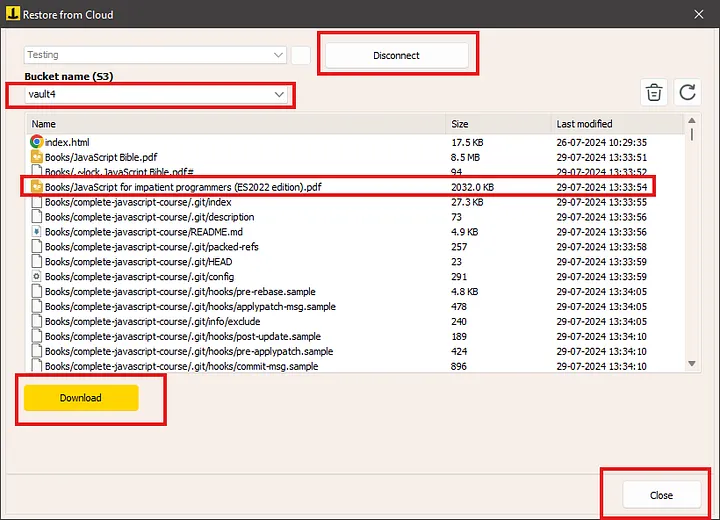
b. Select the vault and folder you want to restore from, then click Download.
✓ Integration Complete! You have successfully configured Iperius Backup with StorX. Your backups are now securely stored in decentralized storage, and you can restore them whenever needed.
What You Can Do Now
- Automated Backups: Schedule regular backups of your important data to StorX
- Database Backups: Back up SQL Server, MySQL, and other databases directly to StorX
- Virtual Machine Backups: Protect your VMware and Hyper-V virtual machines
- Email Backups: Back up Microsoft 365 and Exchange mailboxes to decentralized storage
- File Restoration: Quickly restore any version of your backed-up files
💡 Pro Tip: Iperius Backup supports advanced features like encryption, compression, and email notifications. Enable these options in the backup settings for enhanced security and monitoring.