



What is Joplin?
Joplin is a free and open-source desktop and mobile note-taking and to-do list application written for Unix-like (including macOS and Linux) and Microsoft Windows operating systems, as well as iOS and Android.
Advantages of Joplin Integration with StorX
- Enhanced Security: StorX uses encryption techniques to protect data before it is uploaded to the cloud, ensuring that only you have access to your data. Joplin also supports end-to-end encryption, so integrating the two enhances the overall security and privacy of your notes, to-dos, and attachments.
- Scalable Storage: StorX's decentralized storage allows you to scale your storage needs easily without worrying about storage limits or capacity issues that typically occur with centralized cloud services.
- Cross-Device Sync: With Joplin, you can sync your notes across multiple devices. Integrating StorX provides a reliable, decentralized backend to store and sync your data securely across different devices, ensuring you always have access to the latest version of your notes, even in case of device failure or data loss.
- Automatic Redundancy: By using StorX as a backup solution for Joplin, your notes and files are automatically backed up across multiple nodes in the decentralized network. This increases redundancy and ensures that your data is safe even if one or more nodes go offline.
Download Joplin: https://joplinapp.org/download/
Free and Open Source • Available on iOS, Android, macOS, Windows, Linux
Before you begin: You need an active StorX account. Join StorX →
Required StorX Credentials
- Access Key - Your unique access identifier
- Secret Key - Your private security key
- Endpoint URL -
gateway.storx.io
Need help getting your credentials? Learn how to get Access Keys →
Step-by-Step Integration Guide
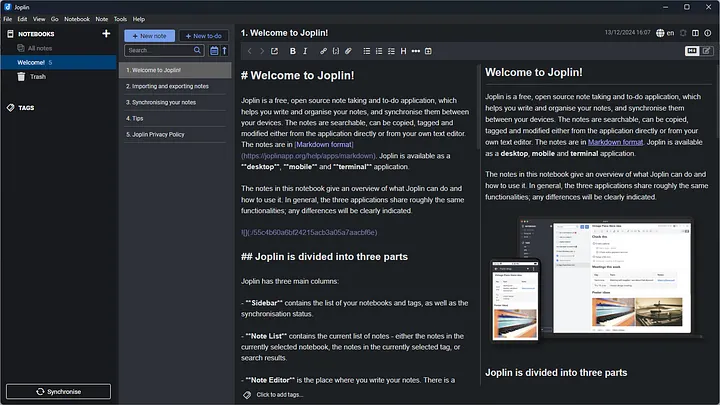
1. Install and launch Joplin on your device. You'll see the main interface:
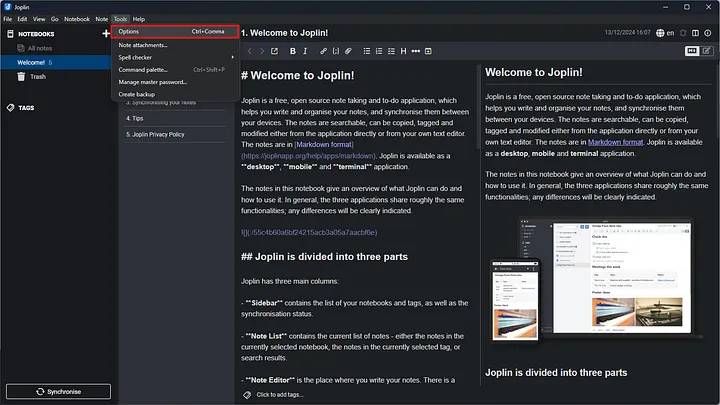
2. Navigate to Tools → Options (or Preferences on macOS) in the menu bar:
3. In the Options window, select the Synchronization tab:
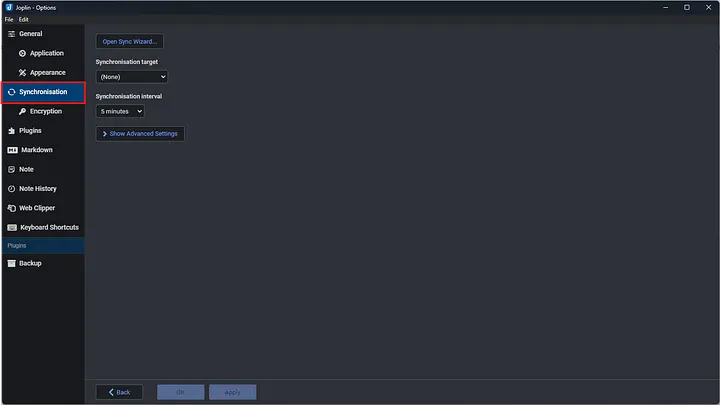
4. Set the Synchronization target to S3 (Beta) and enter your StorX Access Credentials:
- S3 URL:
gateway.storx.io - S3 Bucket: Your StorX vault name
- S3 Access Key: Your StorX Access Key
- S3 Secret Key: Your StorX Secret Key
Make sure to check the Force path style option.
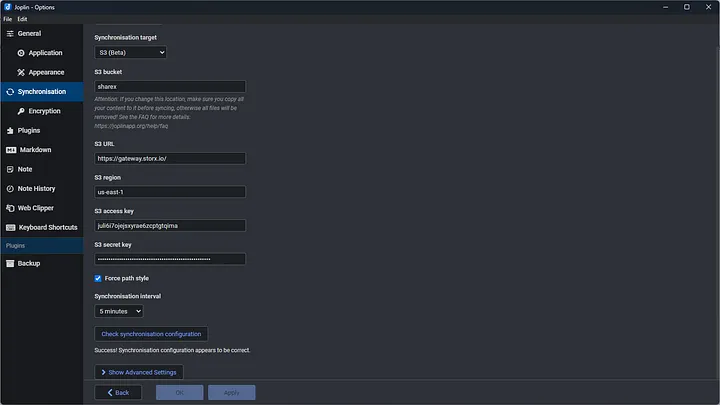
Note: Check the "Force path style" option as StorX requires this for proper compatibility with S3 APIs.
5. Click Apply and OK. Joplin will now start synchronizing your notes to StorX.
6. You can verify the upload by checking your StorX vault. Your Joplin notes and attachments will appear in the vault:
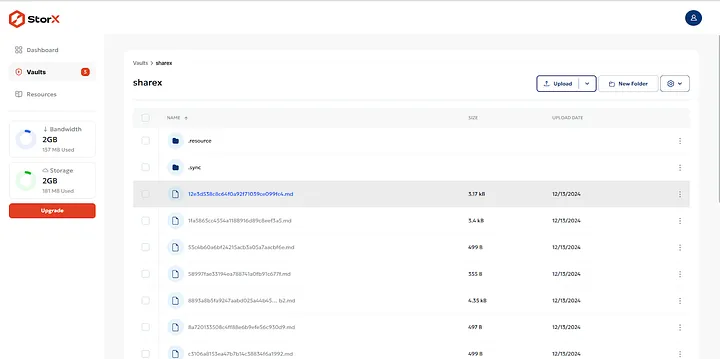
✓ Integration Complete! Your Joplin notes are now automatically synchronized with StorX decentralized storage. All your notes, to-dos, and attachments are securely backed up and accessible across all your devices.
What You Can Do Now
- Automatic Sync: All notes you create or modify will automatically sync to StorX
- Cross-Device Access: Install Joplin on other devices, configure with the same StorX credentials, and access all your notes
- Secure Backup: Your notes are encrypted and stored redundantly across the StorX decentralized network
- Version History: Joplin maintains note history, and StorX provides reliable long-term storage
💡 Pro Tip: Joplin supports end-to-end encryption. Enable it in the settings for an additional layer of security before your notes are synced to StorX.