



What is Movebot?
Movebot is a cloud-based service that provides automated data migration solutions for businesses and individuals. It's designed to facilitate the easy transfer of large amounts of data between various storage systems, whether cloud-to-cloud, on-premises-to-cloud, or cloud-to-on-premises.
Prerequisites
- Active Movebot account
- Active StorX account
- StorX access credentials (Access Key, Secret Key, Endpoint)
- Destination storage account (e.g., Backblaze, Wasabi, etc.)
Before you begin: You need an active StorX account. Join StorX →
Required StorX Credentials
- Access Key - Your unique access identifier
- Secret Key - Your private security key
- Endpoint URL -
gateway.storx.io
Need help getting your credentials? Learn how to get Access Keys →
Step-by-Step Migration Guide
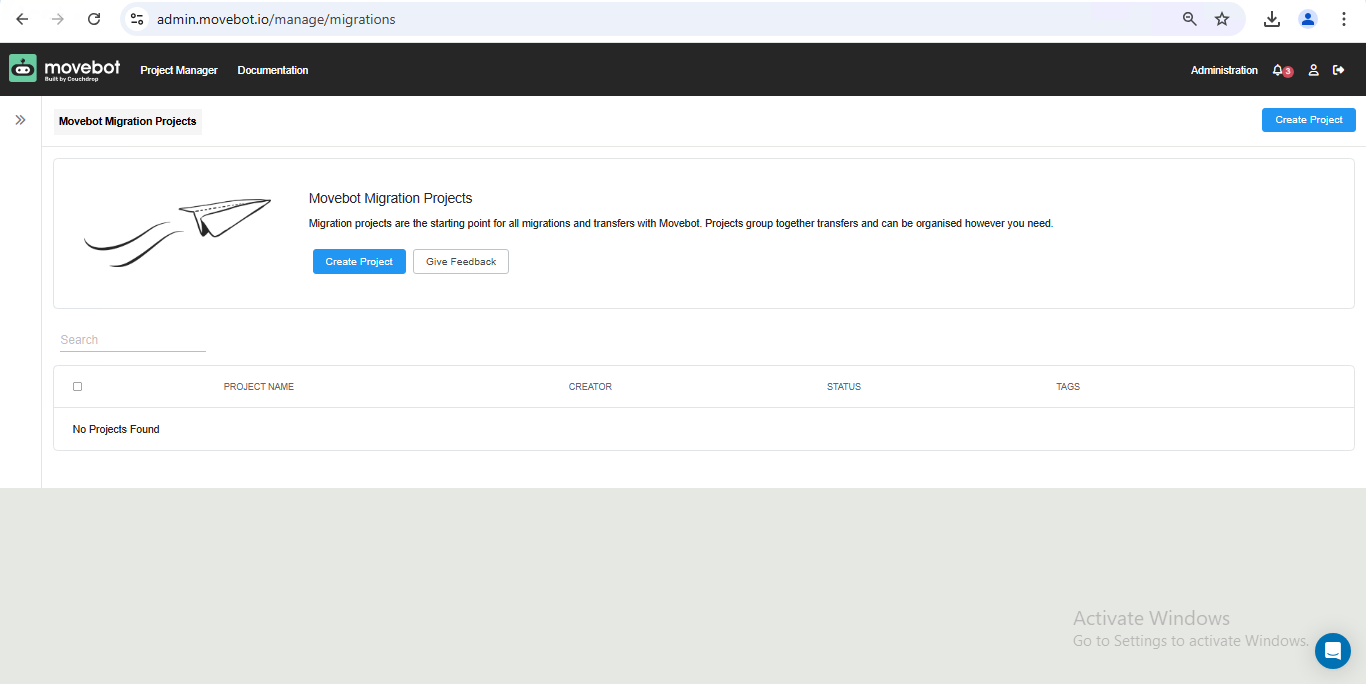
1. Create your Movebot account and log in. You'll see the dashboard below:
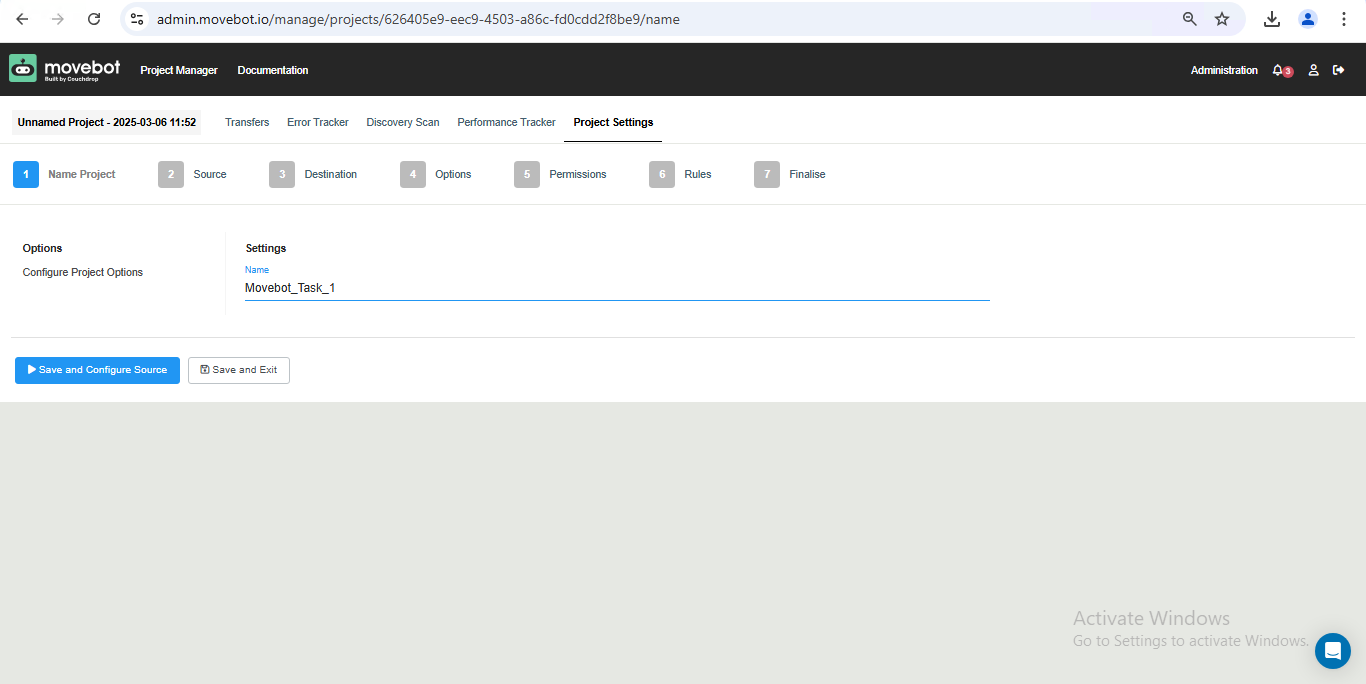
2. Click Create Project, name your project, and proceed to configure the source:
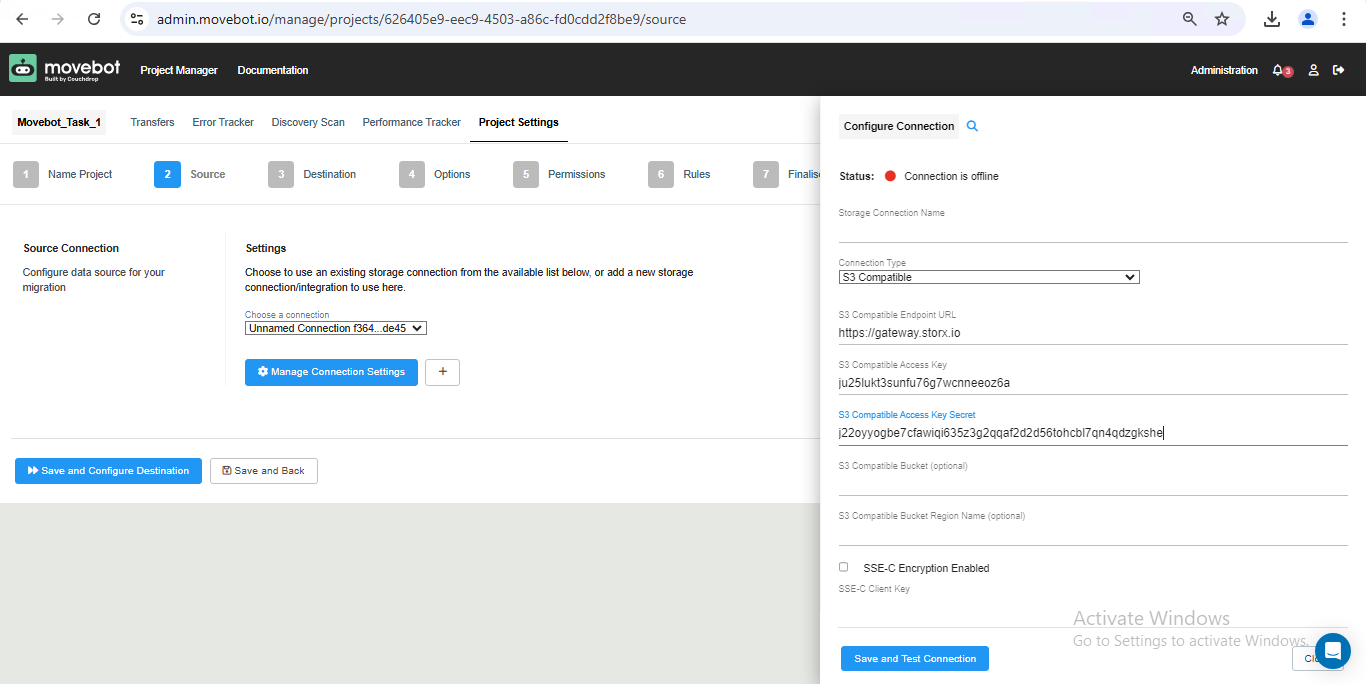
3. Establish the connection with S3 compatible storage and enter your StorX credentials:
- Access Key
- Secret Key
- Endpoint:
gateway.storx.io - Bucket/Vault name
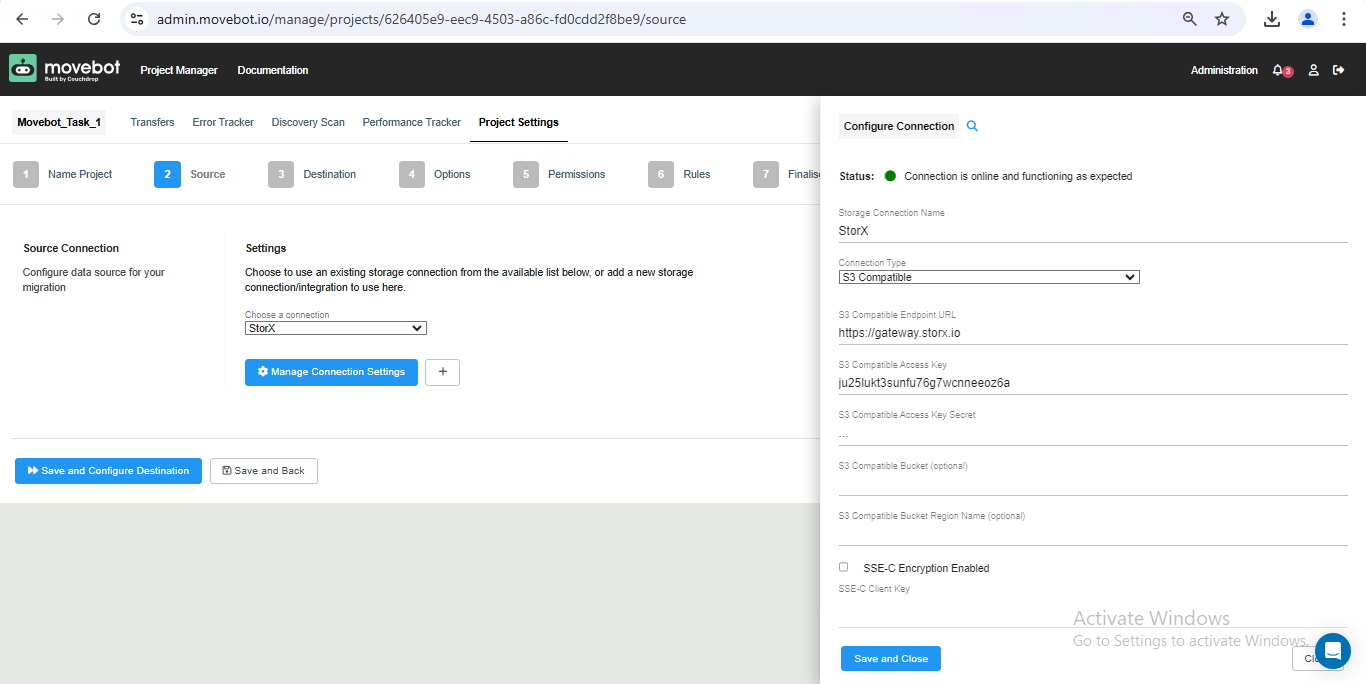
4. Once the connection is established, you'll see a green confirmation tick:
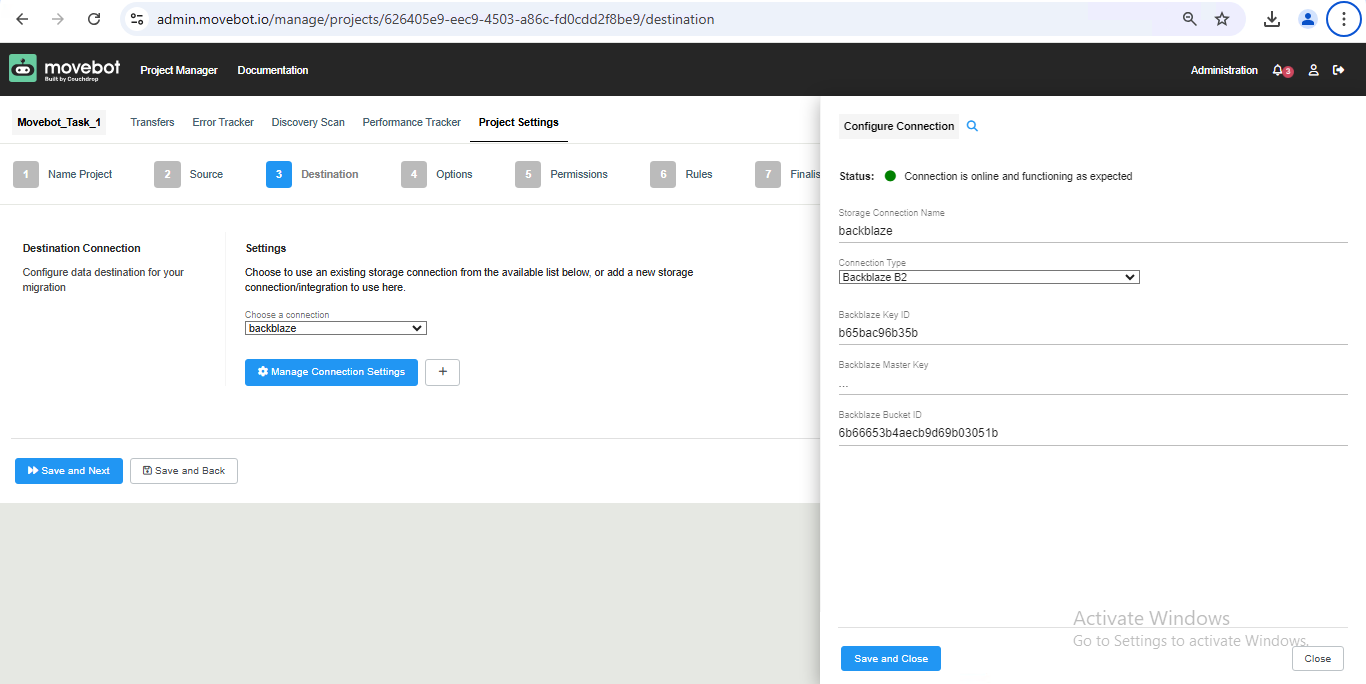
5. Select your destination storage (e.g., Backblaze) and enter its credentials:
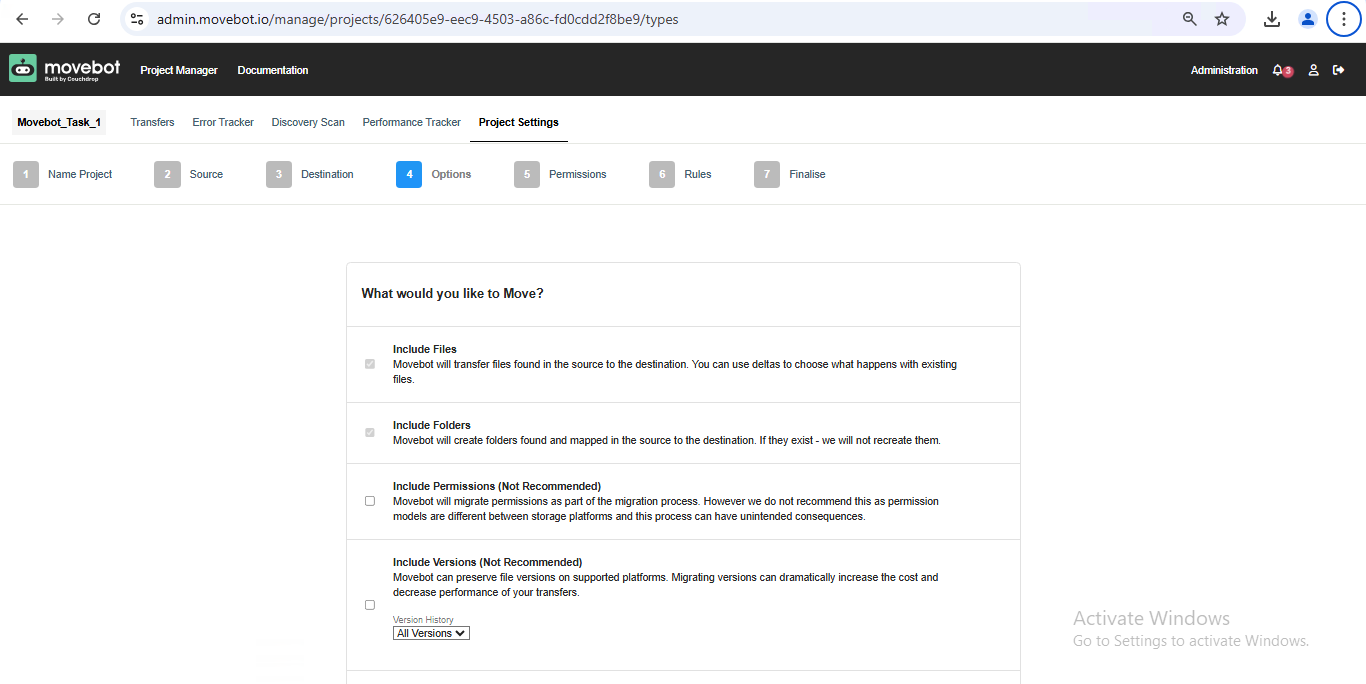
6. Select the type of files to transfer from StorX to the destination:
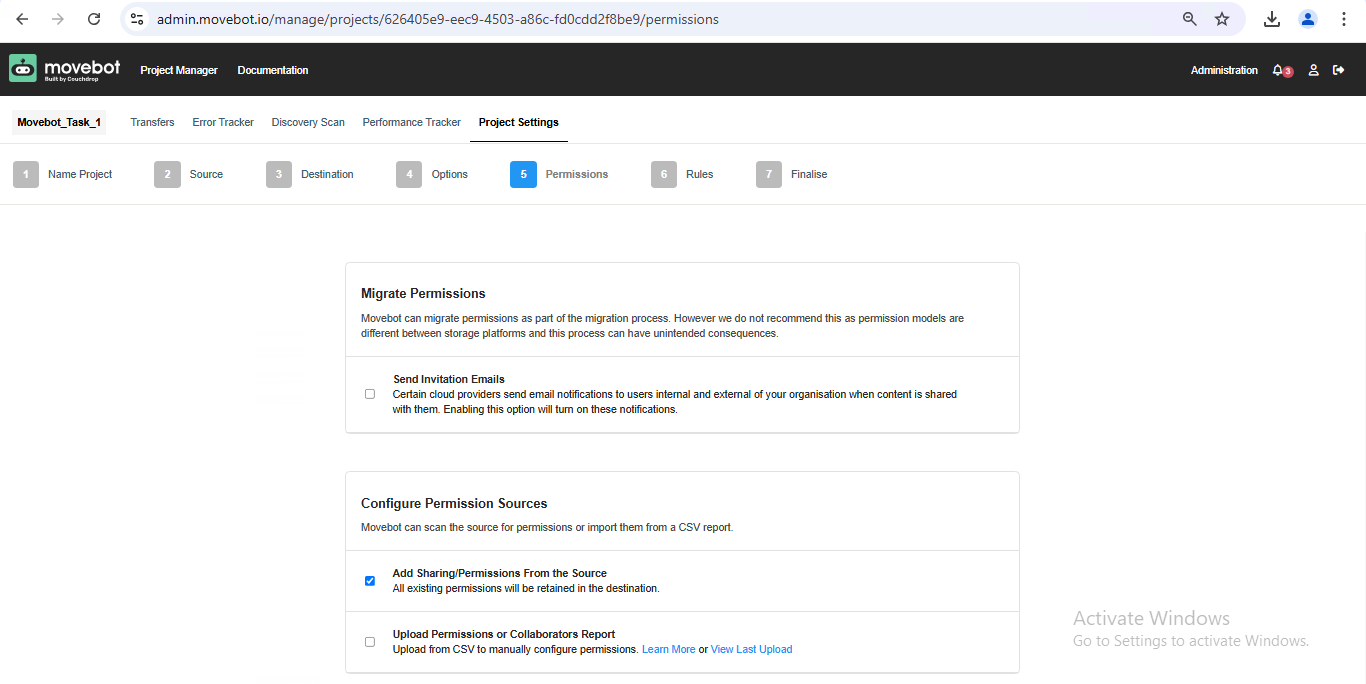
7. Configure permissions and migration rules:
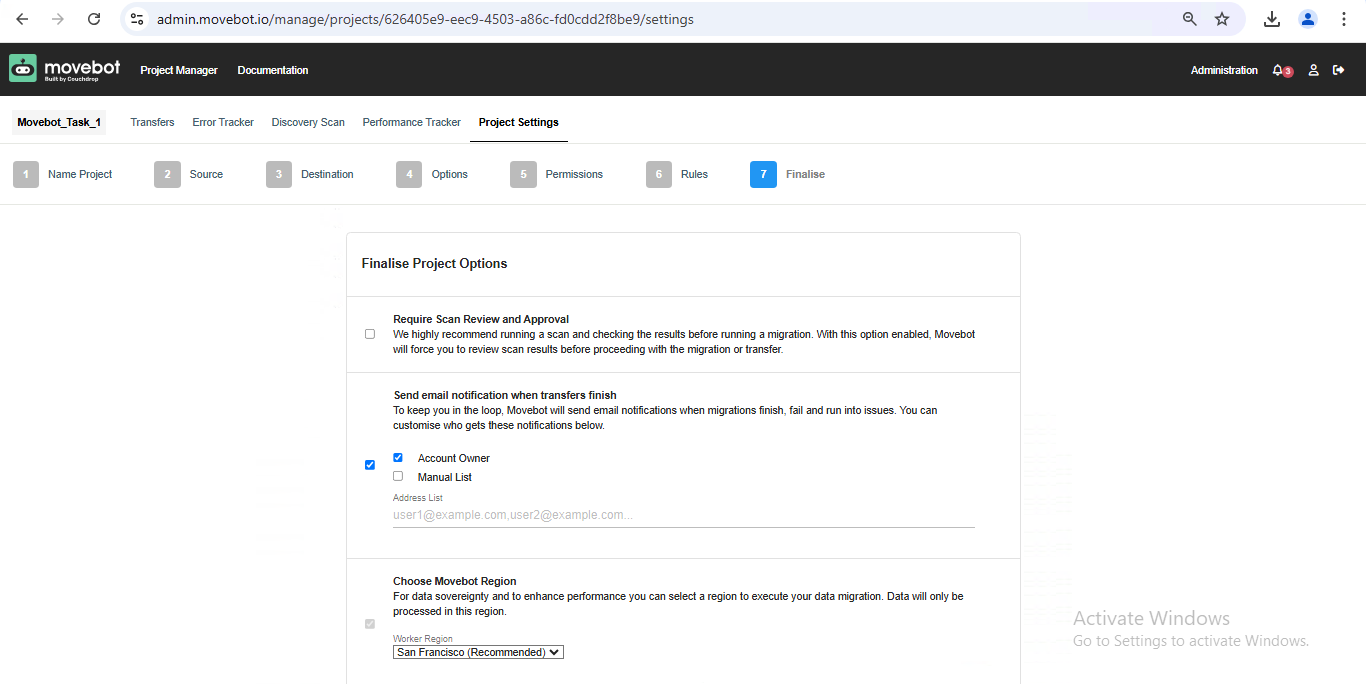
8. Finalize the setup and continue:
9. Select the vault you want to transfer and add the task:
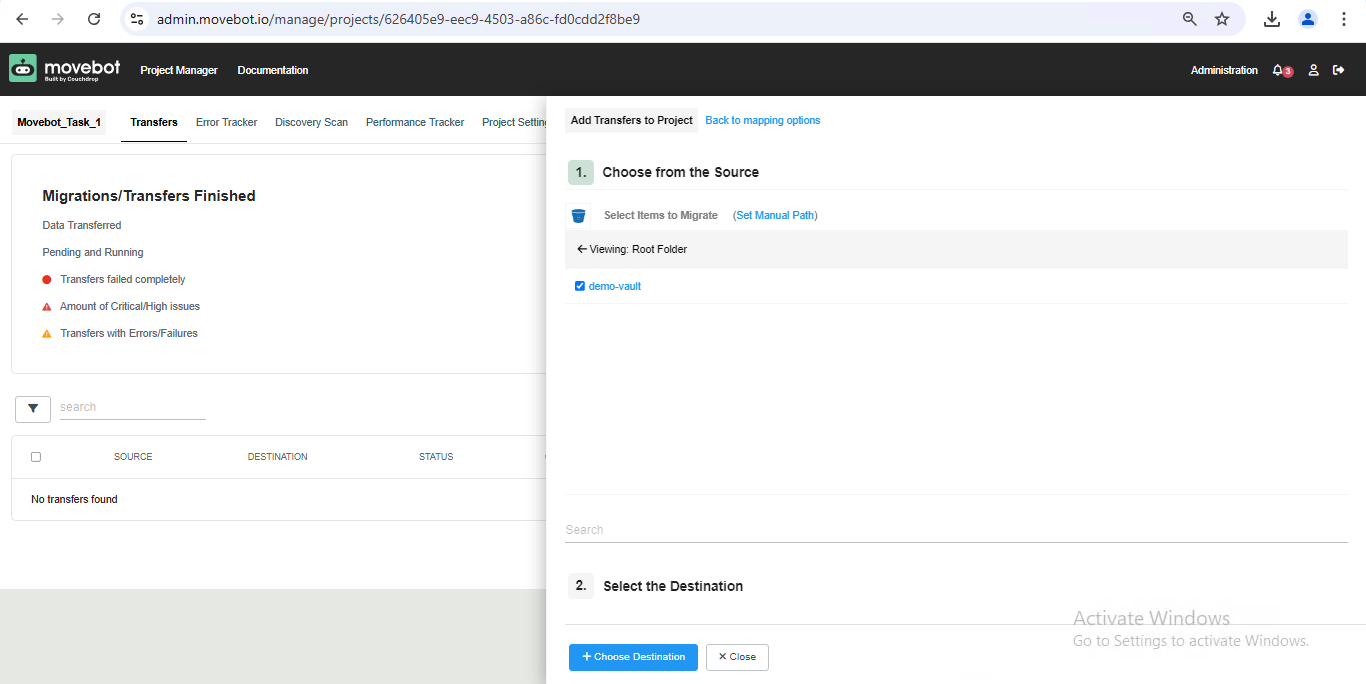
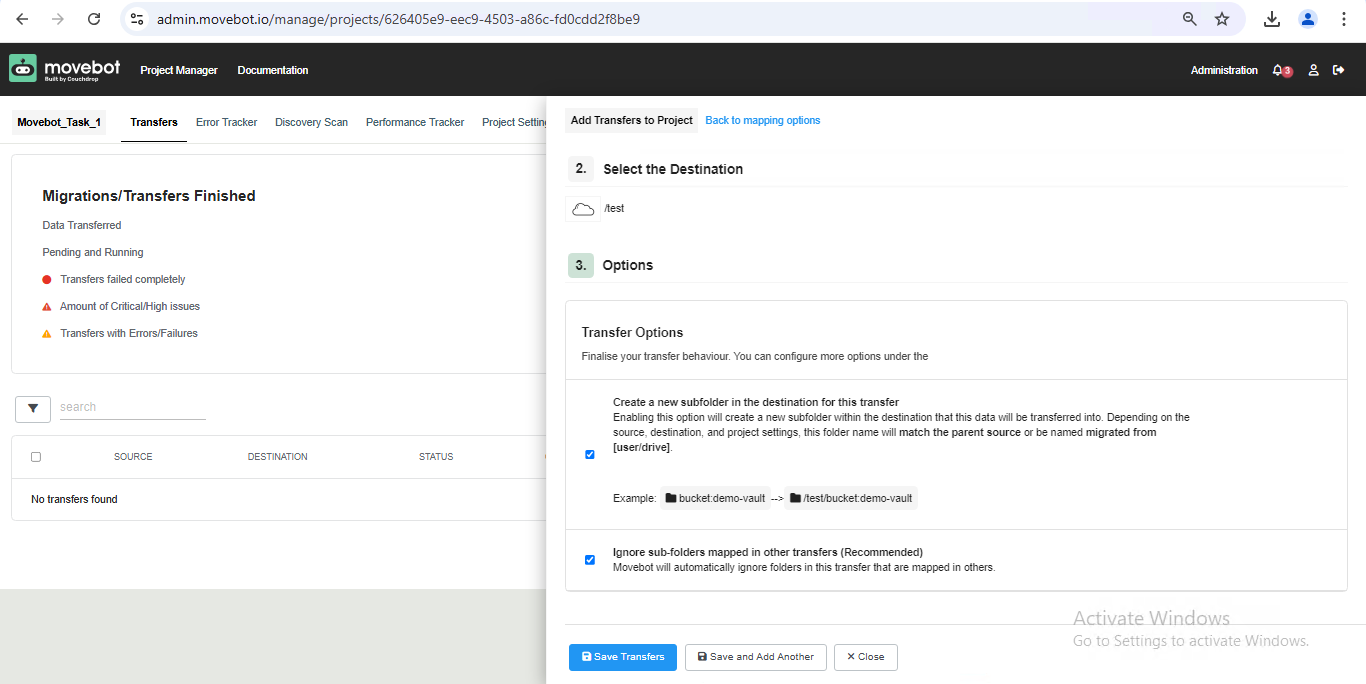
10. Select the destination folder and click Continue:
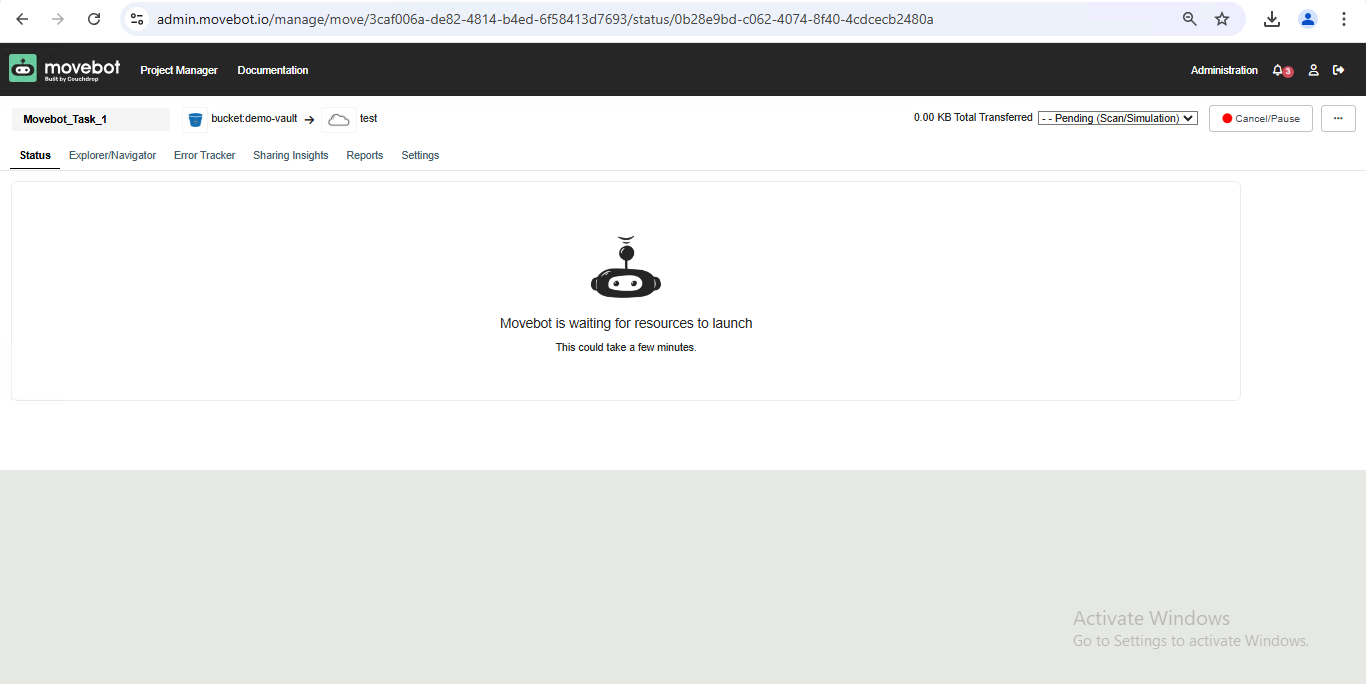
11. Initiate the transfer using the Launch option in the task:
12. Once the transfer is complete, you'll see a green confirmation tick:
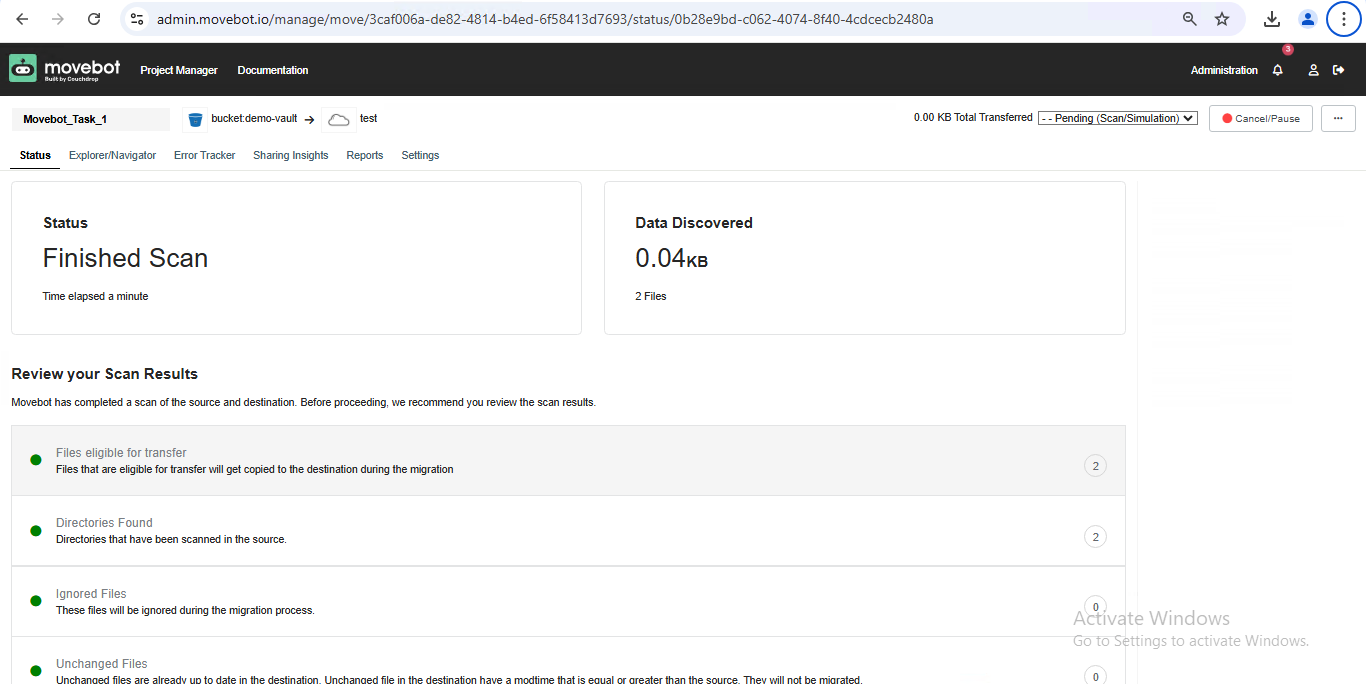
✓ Migration Complete! You have successfully transferred data from StorX to another cloud storage provider using Movebot. This process can be used to migrate data in either direction with any supported storage provider.
What You Can Do Now
- Multi-Cloud Migration: Transfer data between StorX and any supported cloud provider
- Scheduled Migrations: Set up recurring migration jobs
- Incremental Transfers: Only transfer changed files for efficiency
- Cross-Platform: Use Movebot from any operating system via web interface
💡 Pro Tip: Movebot supports over 20 cloud storage providers including Backblaze, Wasabi, Google Drive, Dropbox, and more. You can use it to create a complete multi-cloud strategy with StorX as your primary decentralized storage.