



What is qBackup?
qBackup is a cross-platform file backup software that runs fast, efficiently and securely. You can backup your files to Cloud Storage, Local File System and SFTP Server.
Advantages of qBackup Integration with StorX
- End-to-End Security: Both QBackup and StorX emphasize security. QBackup provides encryption for your data before it is backed up, and StorX ensures that files are encrypted before they are distributed across its decentralized network. Integrating both solutions ensures that your backup data is encrypted both in transit and at rest, keeping it secure from unauthorized access.
- No Single Point of Failure: StorX's decentralized model reduces the risk of single-point failures, meaning your backup data is not vulnerable to server breaches or data center attacks like with centralized storage providers. This provides an additional layer of security for your backups, ensuring redundancy and reliability.
- High Availability: With decentralized storage, there is no single point of failure. If one node experiences issues, others can continue to serve your backup data, ensuring high availability and reliability for your backup process.
- Automated Backups: With QBackup's scheduling feature, you can automate backups to StorX on a daily, weekly, or monthly basis, depending on your preferences. This ensures that your data is regularly protected without you needing to remember to back it up manually.
- Cost-Effective Storage: StorX operates on a decentralized cloud storage model, where unused storage capacity from participants (nodes) is pooled together to provide cost-effective cloud storage. Integrating QBackup with StorX ensures that your backup solution is not only secure but also more affordable compared to traditional centralized cloud services, especially for larger datasets.
- Flexible Backup Strategies: QBackup allows you to choose specific files, directories, or systems to back up. Integrating with StorX, you can have flexible backup strategies, ensuring that only the most critical files are backed up to the decentralized cloud, optimizing storage usage and minimizing costs.
Download qBackup (30-day trial): https://www.qualeed.com/en/qbackup/ 30-day trial
Before you begin: You need an active StorX account. Join StorX →
Required StorX Credentials
Once your StorX account is set up, you'll need these credentials:
- Access Key - Your unique access identifier
- Secret Key - Your private security key
- Endpoint URL -
gateway.storx.io
Need help getting your credentials? Learn how to get Access Keys →
Step-by-Step Integration Guide
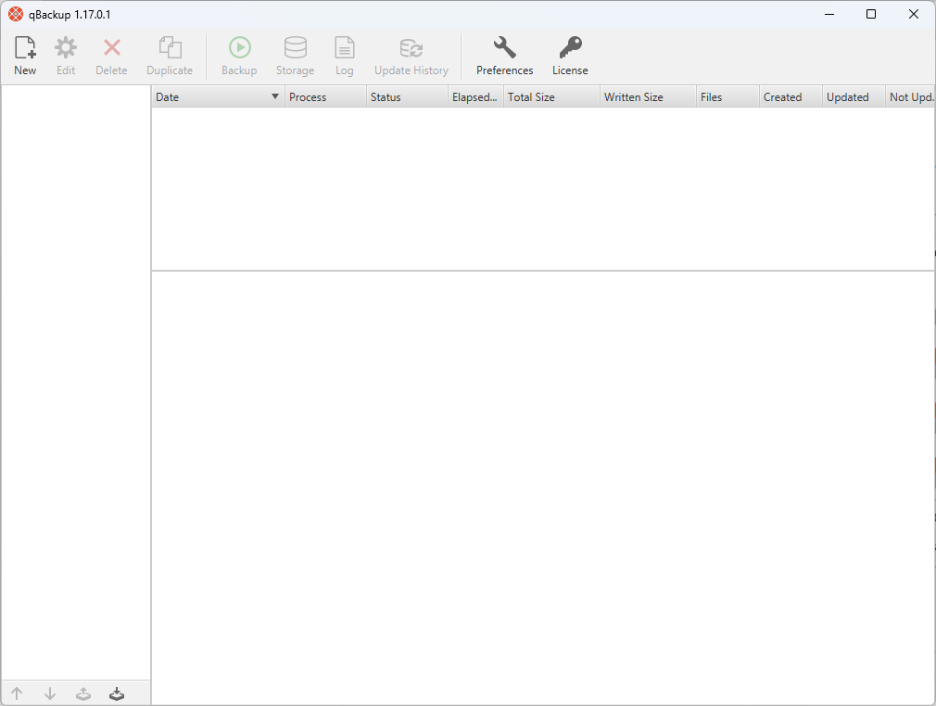
1. Install qBackup and launch the application. You'll see the main interface:
2. Click on New and select S3 Compatible Storage as the storage type:
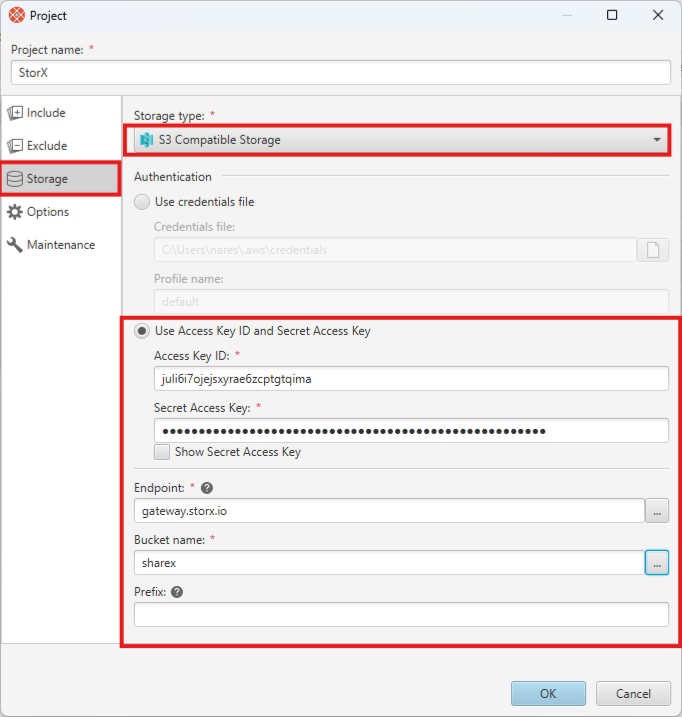
3. Configure the storage with your StorX credentials:
- Access Key: Your StorX Access Key
- Secret Key: Your StorX Secret Key
- Endpoint:
gateway.storx.io - Bucket: Your StorX vault name
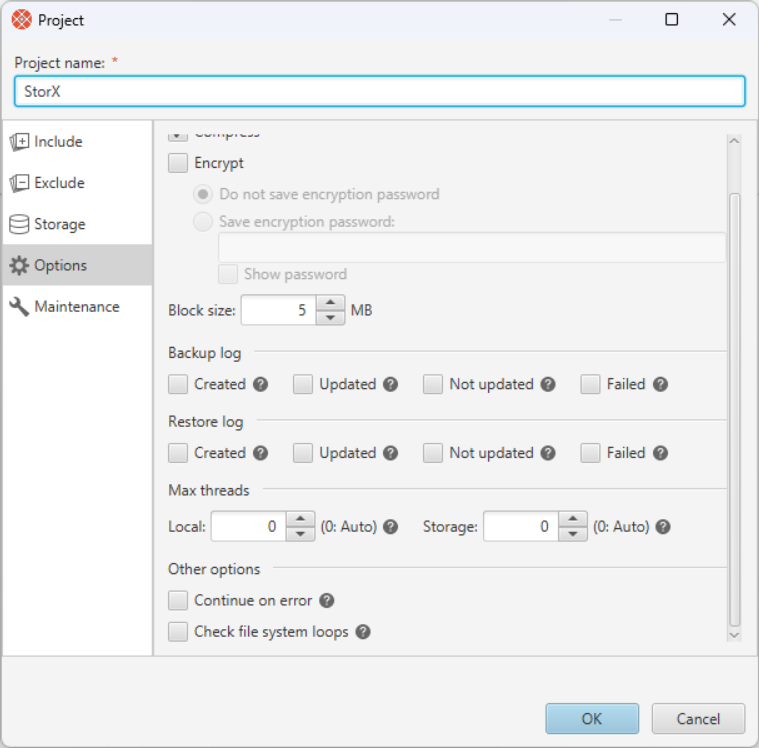
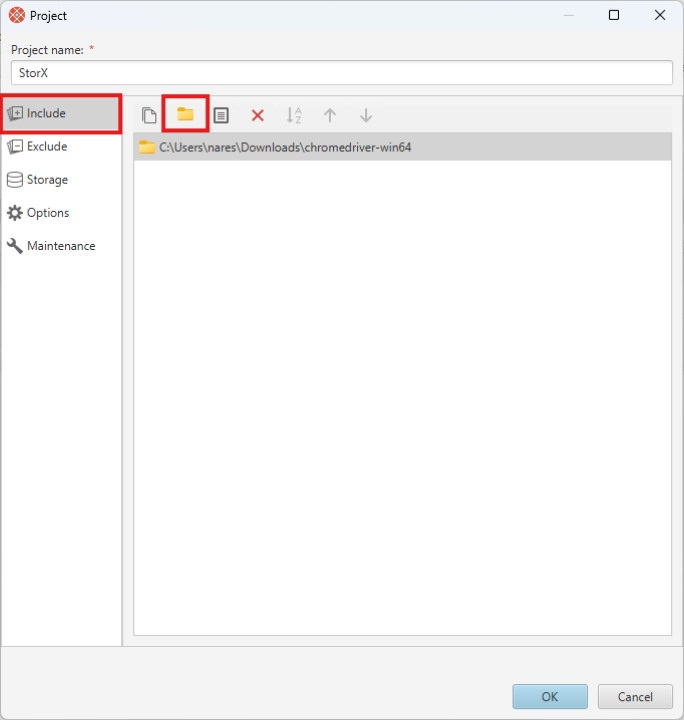
4. Select the files and folders you want to back up:
5. Click the Backup button to start the backup process:
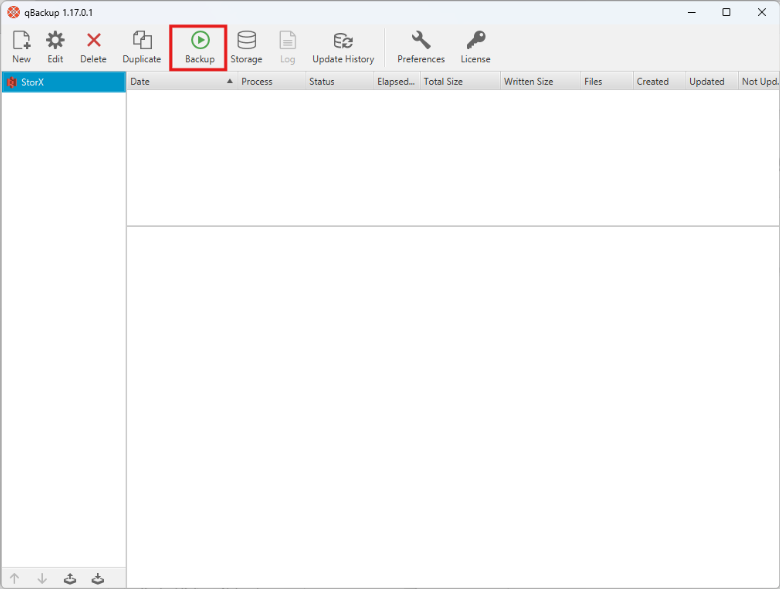
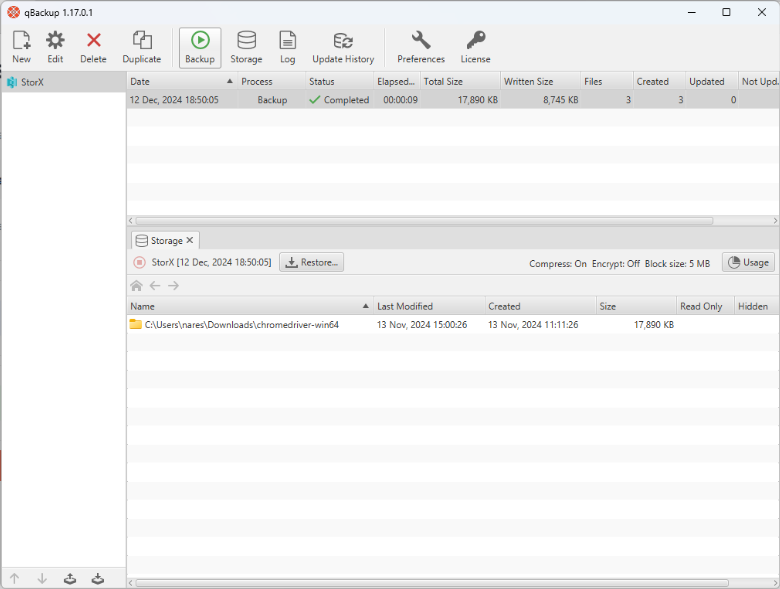
6. Monitor the backup progress. You'll see confirmation when it completes successfully:
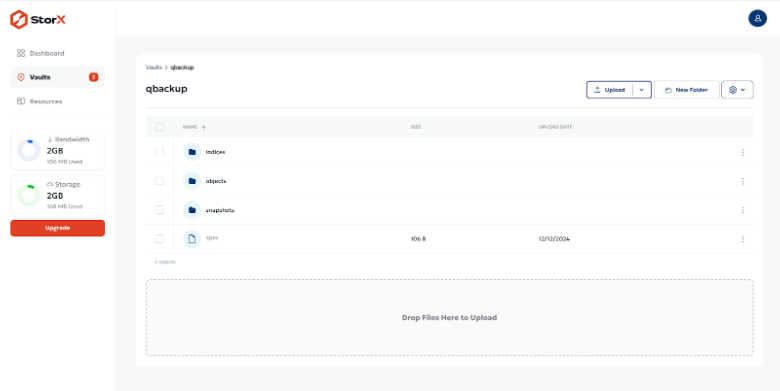
7. Verify the backup in your StorX vault. Your files will appear in the selected vault:
✓ Integration Complete! Your qBackup is now configured to back up your files to StorX decentralized storage. Your data is securely encrypted and stored across the distributed network with automated backup scheduling.
What You Can Do Now
- Scheduled Backups: Set up automatic backups on daily, weekly, or monthly schedules
- Selective Backup: Choose specific files and folders to optimize storage usage
- Cross-Platform: Use qBackup on Windows, macOS, and Linux with the same StorX configuration
- File Restoration: Easily restore individual files or complete backups
- Incremental Backups: Save time and bandwidth with incremental backup options
💡 Pro Tip: qBackup's 30-day trial is perfect for testing the integration. After confirming it works with StorX, you can purchase a license for continued use. Take advantage of the scheduling feature to automate your backups completely.