



What is SnapShooter?
SnapShooter automates backups of your databases, including MySQL, PostgreSQL, MongoDB, and more. Advanced retention policies allow you to keep as many daily, weekly, or monthly backups as needed.
Advantages of SnapShooter with StorX
- Automated File Backups: Automate backups of your files from any Linux-based operating system. SnapShooter's advanced retention policies allow you to keep as many daily, weekly, or monthly backups as needed.
- Eco-Friendly Storage: StorX's decentralized model makes use of existing storage capacity from various providers around the world, which can reduce the environmental footprint associated with maintaining large data centers. By using StorX, you contribute to a more efficient, distributed, and potentially more sustainable model for cloud storage.
- Long-Term Archival: With SnapShooter's snapshot-based backup method and StorX's decentralized storage, you can retain historical versions of your data for as long as you need, offering a reliable archival solution for personal or business purposes.
Get started with SnapShooter: https://snapshooter.com/ 14-day free trial
Before you begin: You need an active StorX account. Join StorX →
Required StorX Credentials
- Access Key - Your unique access identifier
- Secret Key - Your private security key
- Endpoint URL -
gateway.storx.io
Need help getting your credentials? Learn how to get Access Keys →
Step-by-Step Integration Guide
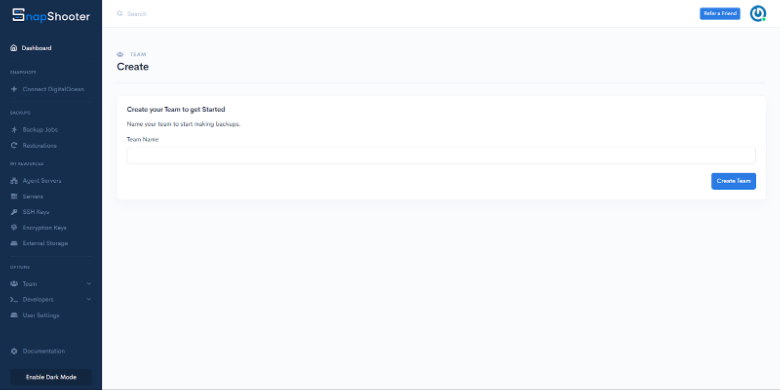
1. Create your SnapShooter account and log in. You'll see the following dashboard:
2. Click on External storage in the sidebar:
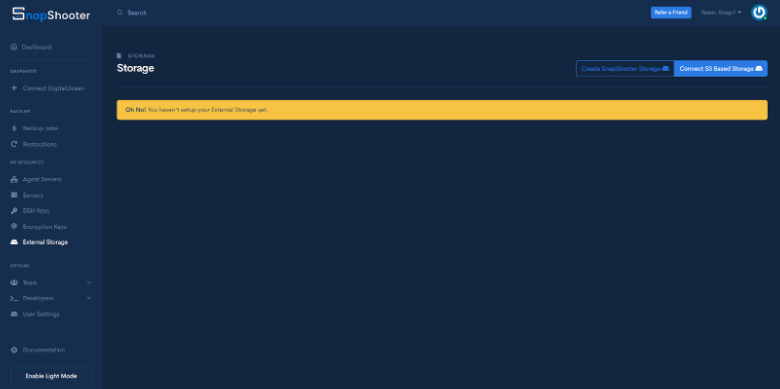
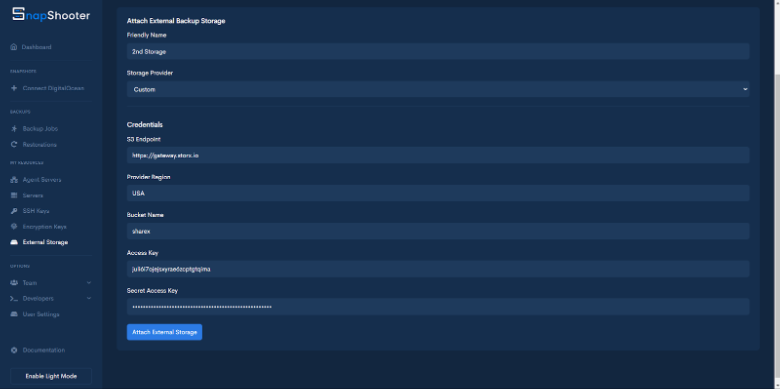
3. Select Connect S3 Based storage, choose Custom as the storage provider, and enter your StorX credentials:
- Access Key: Your StorX Access Key
- Secret Key: Your StorX Secret Key
- Endpoint:
gateway.storx.io - Bucket: Your StorX vault name
- Region: (optional, can be left blank)
4. Click Attach External Storage. Once successfully connected, your StorX storage will appear in the list:
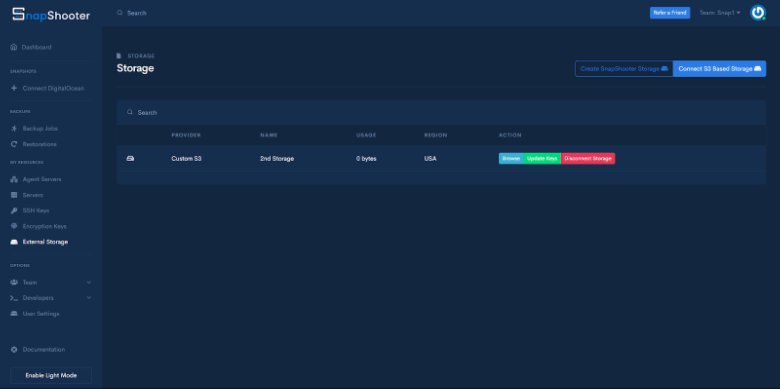
✓ Integration Complete! Your StorX decentralized storage is now connected to SnapShooter. You can now create automated database and file backups directly to StorX with advanced retention policies.
What You Can Do Now
- Database Backups: Automate backups for MySQL, PostgreSQL, MongoDB, and other databases to StorX
- File Backups: Back up files from any Linux server to decentralized storage
- Retention Policies: Configure daily, weekly, and monthly retention rules
- Snapshots: Take point-in-time snapshots of your data
- Restore: Easily restore any backup version from StorX
💡 Pro Tip: SnapShooter offers a 14-day free trial - perfect for testing the integration. Take advantage of the advanced retention policies to create a comprehensive backup strategy with StorX as your secure, decentralized storage backend.