



What is Transmit?
Transmit is a powerful file transfer client for macOS that allows you to manage files on the internet using a clean, intuitive 'dual-pane' interface. With Transmit, you can connect to various servers and cloud services, including Amazon S3 and S3-compatible storage like StorX.
Download Transmit 5: https://panic.com/transmit/
Before you begin: You need an active StorX account with access credentials. Join StorX →
Required StorX Credentials
- Access Key - Your unique access identifier
- Secret Key - Your private security key
- Endpoint URL -
gateway.storx.io
Need help getting your credentials? Learn how to get Access Keys →
Step-by-Step Integration Guide
1. Install and launch Transmit 5 on your Mac.
2. In the Quick Connect section or when adding a new connection, select Amazon S3 as the protocol.
3. Enter your StorX credentials:
- Endpoint URL:
gateway.storx.io - Access Key ID: Your StorX Access Key
- Secret Access Key: Your StorX Secret Key
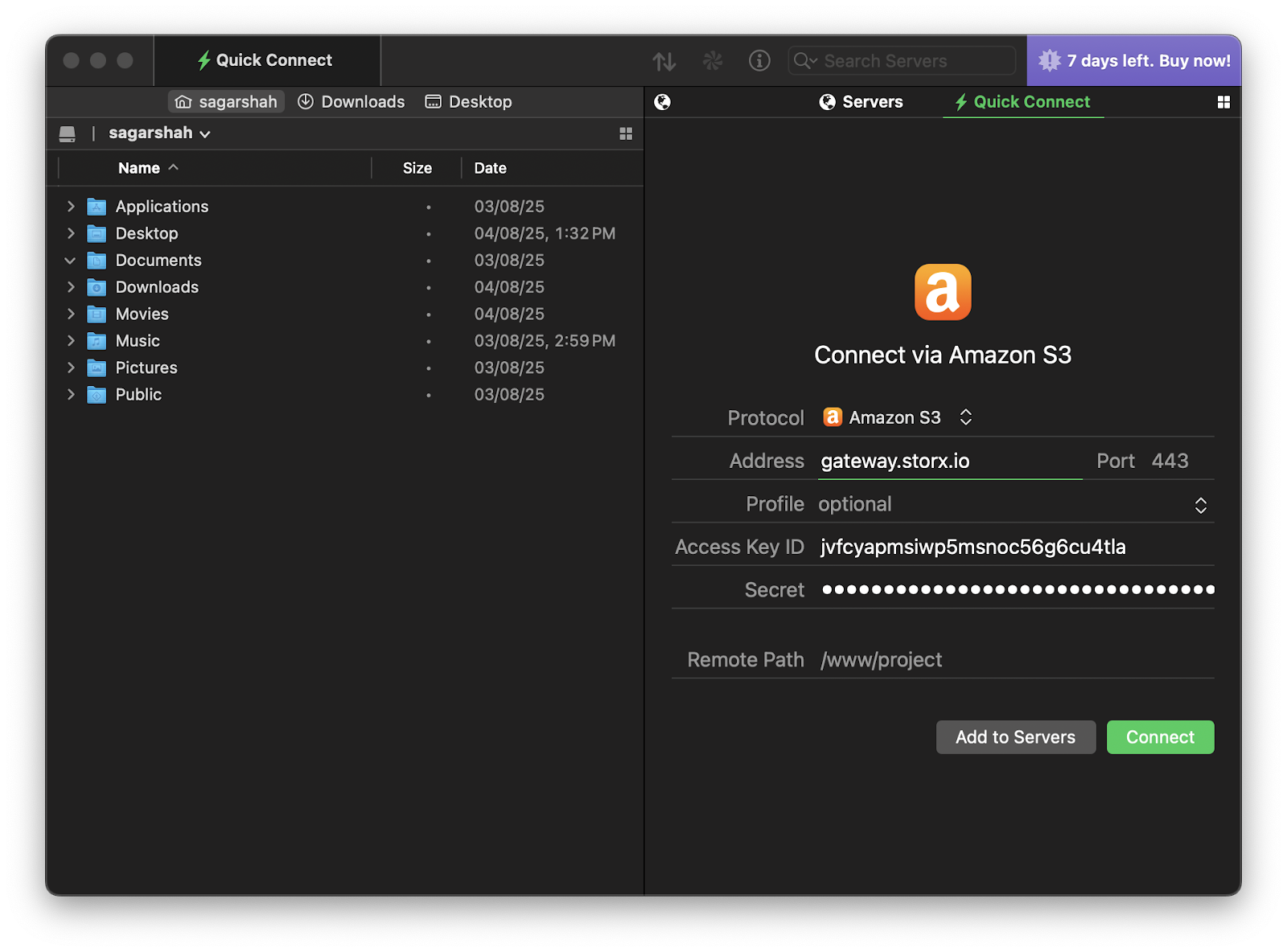
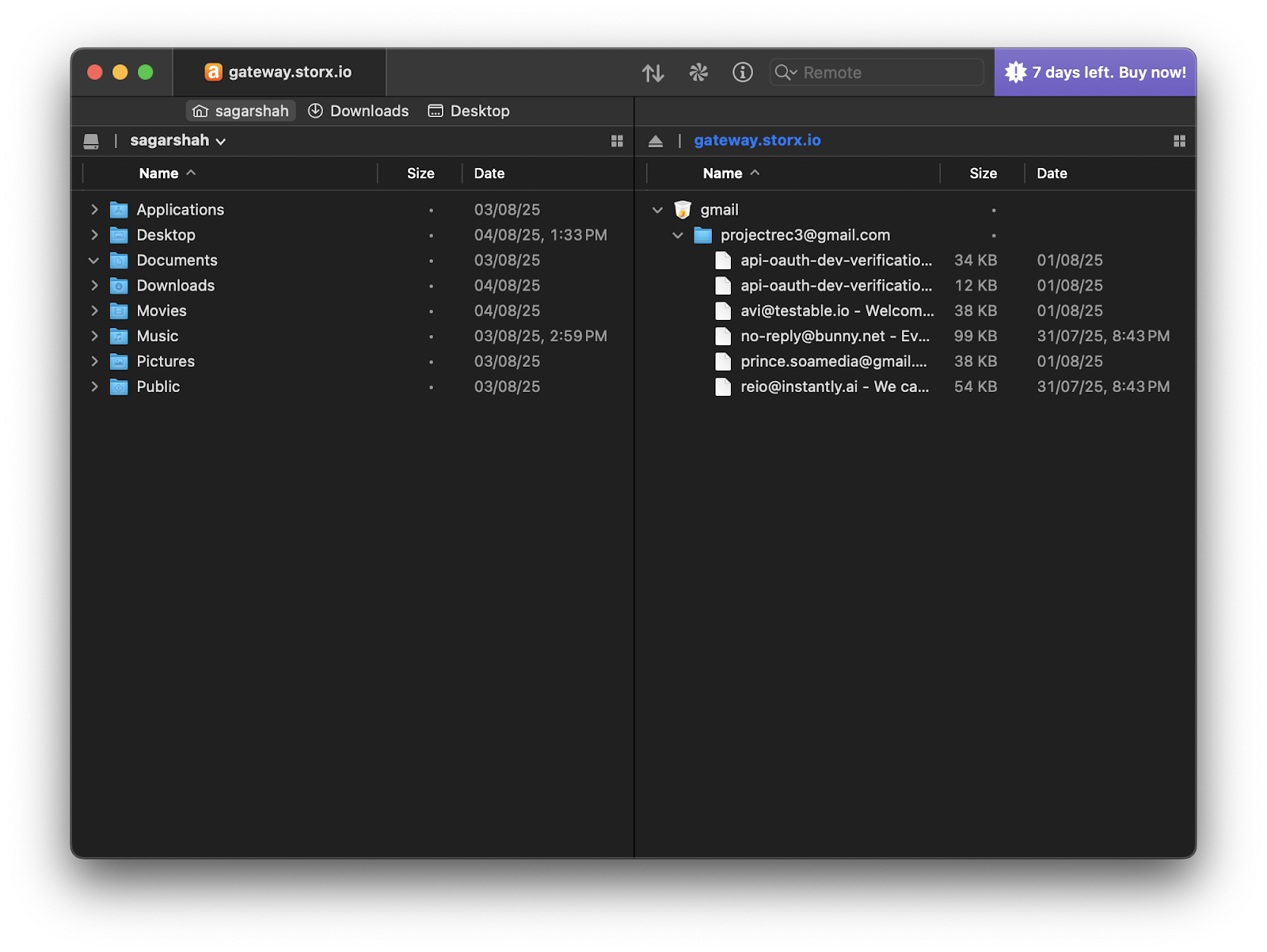
4. Click Connect. Once the connection is established, your StorX storage will appear in the Transmit interface, allowing you to transfer files between your local Mac and the cloud:
Note: Make sure to enter the endpoint exactly as
gateway.storx.io without any additional paths. Transmit will handle the
connection protocol automatically.
✓ Integration Complete! Your StorX decentralized storage is now connected to Transmit. You can manage your files using the familiar dual-pane interface with drag-and-drop functionality.
What You Can Do Now
- Drag and Drop: Easily transfer files between your Mac and StorX
- Dual-Pane Management: View local and cloud files side by side
- Batch Operations: Upload or download multiple files at once
- Sync Folders: Keep folders synchronized between local and cloud
- Save Favorites: Bookmark your StorX connection for quick access
💡 Pro Tip: Transmit supports tabs and multiple connections. You can connect to different StorX vaults in separate tabs, and even transfer files directly between different cloud services using Transmit's dual-pane interface.