



What is TrueNAS?
TrueNAS is an open-source network-attached storage (NAS) operating system. It's designed to provide centralized data storage, management, and sharing across a network. TrueNAS is based on FreeBSD and is known for its robustness, reliability, and scalability.
Before you begin: You need an active StorX account. Join StorX →
Required StorX Credentials
- Access Key - Your unique access identifier
- Secret Key - Your private security key
- Endpoint URL -
gateway.storx.io
Need help getting your credentials? Learn how to get Access Keys →
Step-by-Step Integration Guide
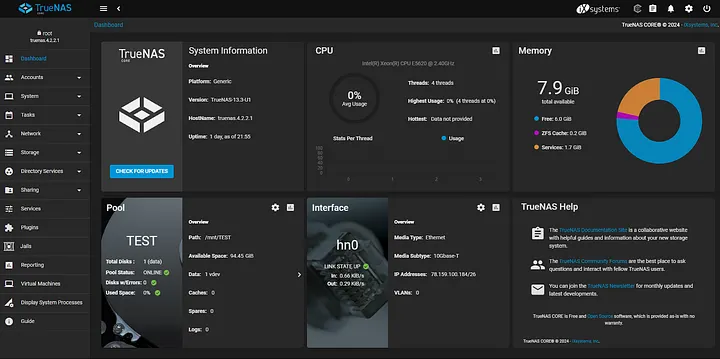
1. Log in to your TrueNAS server with your credentials. The dashboard will appear as below:
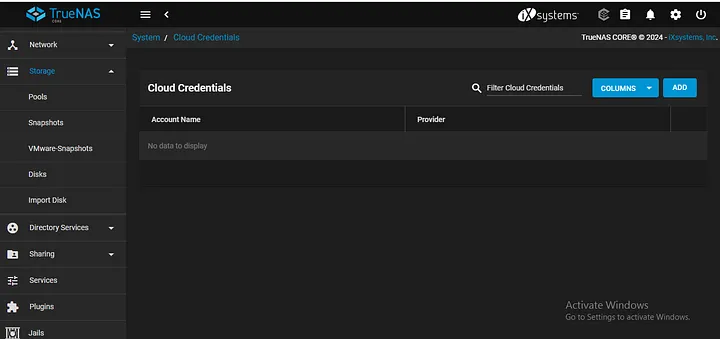
2. In the side panel, navigate to System and select Cloud Credentials:
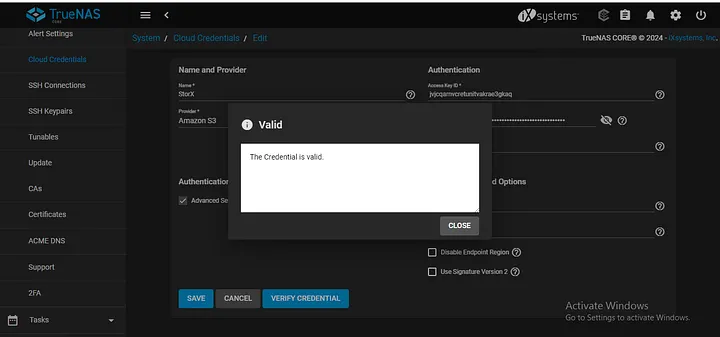
3. Click Add to create new cloud credentials. Select Amazon S3 as the provider and enter your StorX credentials. Make sure to check Advanced Settings to provide the endpoint:
- Access Key ID: Your StorX Access Key
- Secret Access Key: Your StorX Secret Key
- Endpoint:
gateway.storx.io - Bucket: Your StorX vault name (optional)
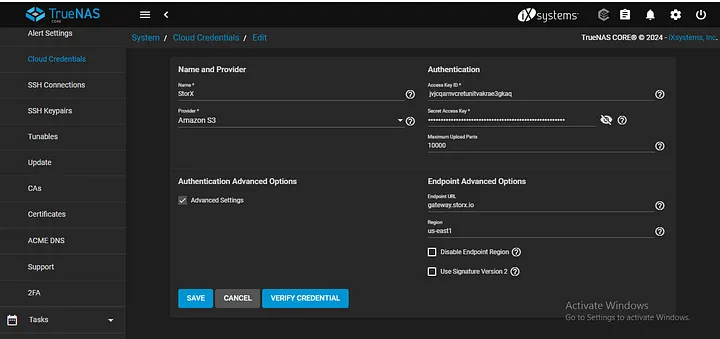
4. Verify the credentials by clicking Verify Credentials to ensure the connection is working:
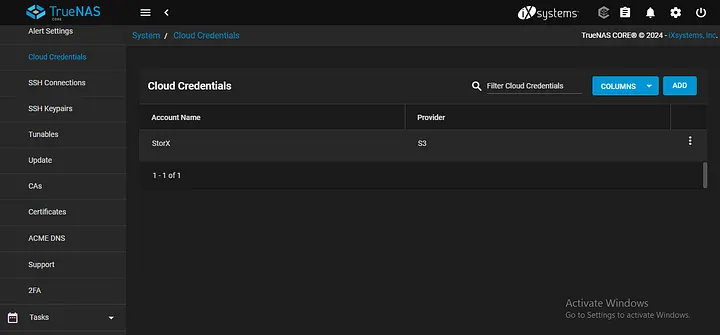
5. Save the cloud credentials. They will appear in your cloud credentials list:
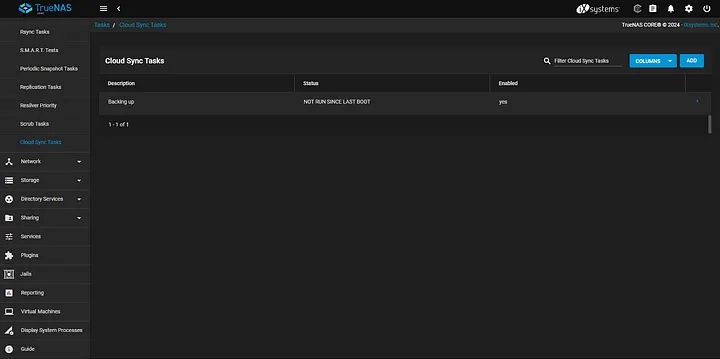
6. Navigate to Tasks in the side panel and select Cloud Sync:
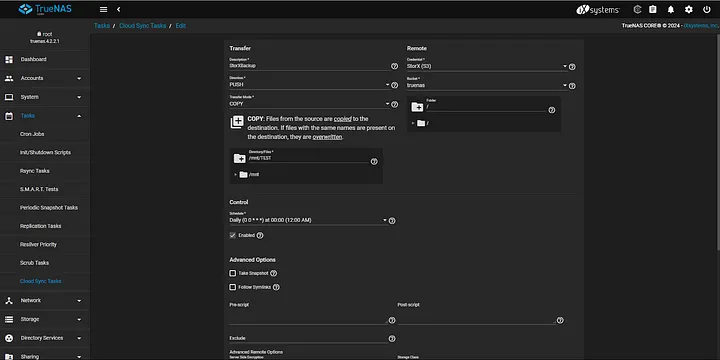
7. Click Add to create a new cloud sync task. Fill in the details:
- Description: Name your task
- Direction: Push (local to cloud) or Pull (cloud to local)
- Transfer Mode: Sync, Copy, or Move
- Schedule: Set backup frequency
- Source Directory: Local path to back up
- Destination: Your StorX bucket/vault
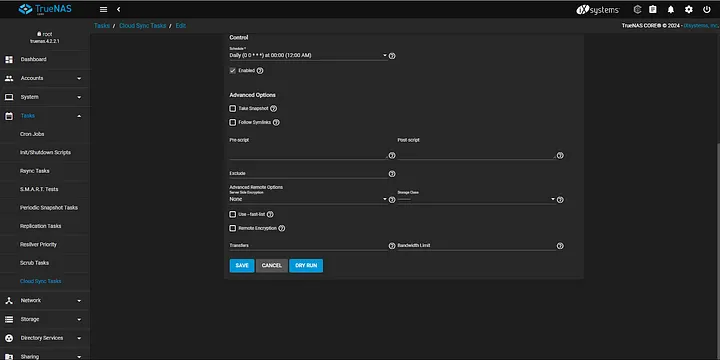
8. Run a Dry Run to test the connection and verify that the backup works correctly:
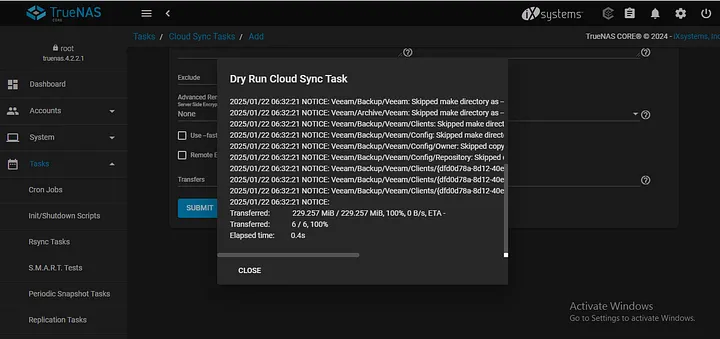
9. Once the dry run is successful, you can enable the scheduled task. Backups will now be sent to your StorX vault:
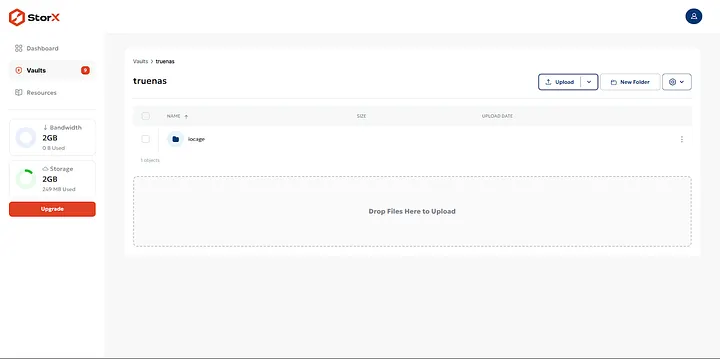
✓ Integration Complete! Your TrueNAS is now configured to back up data to StorX decentralized storage. You can manage cloud sync tasks for automated, scheduled backups of your NAS data.
What You Can Do Now
- Scheduled Backups: Set up automatic backups on daily, weekly, or monthly schedules
- Cloud Sync: Synchronize data between TrueNAS and StorX in both directions
- Data Protection: Store critical NAS data securely in decentralized storage
- Disaster Recovery: Use StorX as an offsite backup for your TrueNAS
- Multiple Tasks: Create different sync tasks for different datasets
💡 Pro Tip: TrueNAS supports both push and pull sync directions. Use "Push" to back up from TrueNAS to StorX, and "Pull" to restore or migrate data from StorX to TrueNAS. Always run a dry run first to verify configuration.